

WhatsApp lead alerts
Get every new lead on your salesperson's WhatsApp, the moment it arrives
Anviom CRM assigns each new lead to the right person and sends them a WhatsApp alert straight away, then reminds them on WhatsApp when the follow-up is due. Your team calls while the enquiry is still fresh.
The problem with waiting for someone to check the CRM
Salespeople, counsellors and patient coordinators spend most of the day away from a desk - on calls, at site visits, with walk-in visitors. A new lead sitting in a list is easy to miss until someone opens the CRM. App notifications help, but they get lost among dozens of others, and some phones silence them to save battery.
WhatsApp is the app your team already checks all day. A short WhatsApp message saying "a new lead has been assigned to you", with the lead's name and phone number, gets read quickly and turns into a call. The same goes for follow-ups: a message when a call-back is due is harder to ignore than a reminder buried in a list.
How it works
- A lead arrives from a Facebook or Instagram lead ad, or is added by hand or by import.
- Anviom CRM assigns it to the right person by your rules or in turn (round-robin).
- That person gets a WhatsApp message with the lead's name, lead number and phone number.
- When the follow-up date comes, they get a WhatsApp reminder to call back.
Which alerts are sent
There are two alerts. New lead assigned is sent to the person a lead has just been given to - whether a rule assigned it, it was shared in turn, or a manager assigned or transferred it. It greets them by name and shows your organisation's name, the lead's name and lead number and, on Anviom's number, the lead's phone number, so they can call straight from the message.
Follow-up due is sent when a follow-up someone scheduled is due. It shows the lead's name and lead number and asks them to check Anviom CRM, where the lead's history and notes are waiting.
Both messages are short utility templates approved by Meta. They contain facts only - no marketing - and go to your own team members, never to the leads themselves.
Setting it up
- Go to Integrations > WhatsApp and switch alerts on.
- Choose Add money and top up the WhatsApp wallet - Rs 200, 500 or 1,000, or an amount of your own.
- Ask each team member to add their mobile number in their profile and turn on WhatsApp alerts. Until they do, they still get app and email notifications.
- Optionally set WhatsApp sending hours in Team > Availability, for the whole organisation, a team or one person.
- Assign a lead to a team member who has opted in, and check with them that the message arrived.
Built for your team, not for spamming leads
- Alerts go only to your own team members, never to the leads themselves.
- Alerts go only to team members who have opted in to WhatsApp, and can be paused.
- Outside sending hours, alerts are skipped rather than sent later; the lead is still in the person's list, and app and email notifications still arrive.
- People on approved leave get no WhatsApp alerts.
Examples
A real estate team gets most of its leads in the evening, when buyers browse Instagram. With sending hours set to 9 am to 8 pm, a lead that arrives at 11 pm is still assigned at once and is waiting in the salesperson's list, but nobody is woken up. The next morning the salesperson calls, books a site visit and sets a follow-up for the visit day - and gets a WhatsApp reminder when it is due.
A clinic's front desk shares enquiries in turn between two patient coordinators. Each coordinator gets a WhatsApp alert for every new enquiry, even while they are busy with patients at the counter, and a reminder when a call-back is due. When one coordinator is on leave, round-robin skips them and they get no alerts.
Wallet and charges
- Alerts are paid from a separate WhatsApp wallet you recharge in Anviom CRM, at a low per-message price shown on the WhatsApp page.
- Each alert is charged when it is sent. A message that fails to send is not charged.
- GST is charged on each message, and you get one tax invoice a month for the messages.
- If the wallet runs out, WhatsApp alerts stop but app and email notifications continue.
- Money you added is refunded only when your subscription ends.
Your number or Anviom's
- New organisations start on Anviom's number, which needs no setup.
- Where it is offered, you can connect your own WhatsApp Business number instead and manage your templates and their approval status in Anviom CRM; Meta then bills message charges to your own account.
Common problems and fixes
- A team member gets no WhatsApp alerts: check their mobile number is in their profile, WhatsApp alerts are turned on, they are not on leave, and the alert didn't fall outside sending hours.
- Nobody gets alerts: check the wallet balance on Integrations > WhatsApp.
- Was a message delivered? The WhatsApp page shows counts of messages queued, delivered, read and failed, and each message's status, with the reason when WhatsApp couldn't deliver it.
- Leads are not being assigned, so no alerts go out: look in Leads > Unassigned and check your assignment rules.
Screens from Anviom CRM
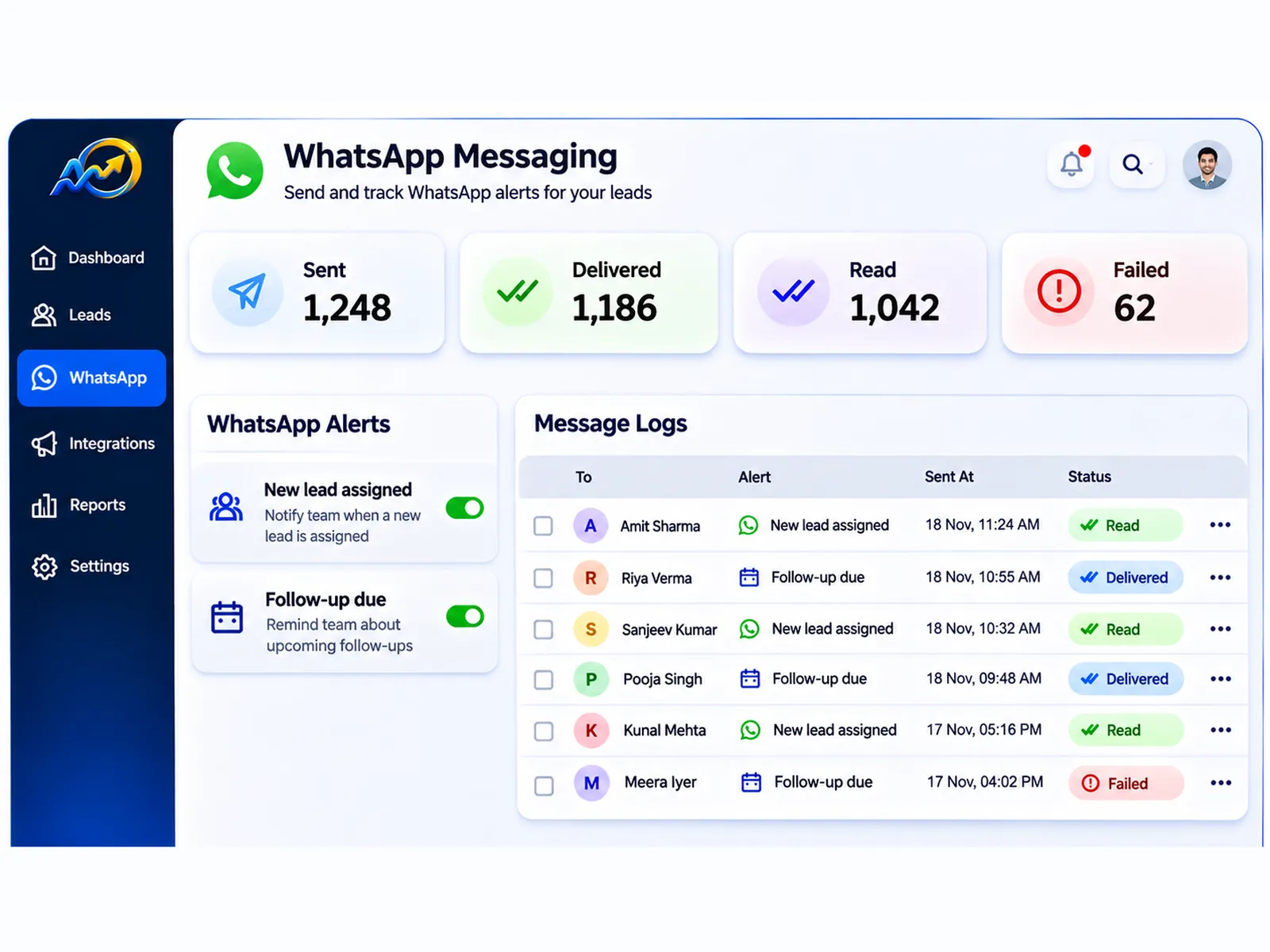
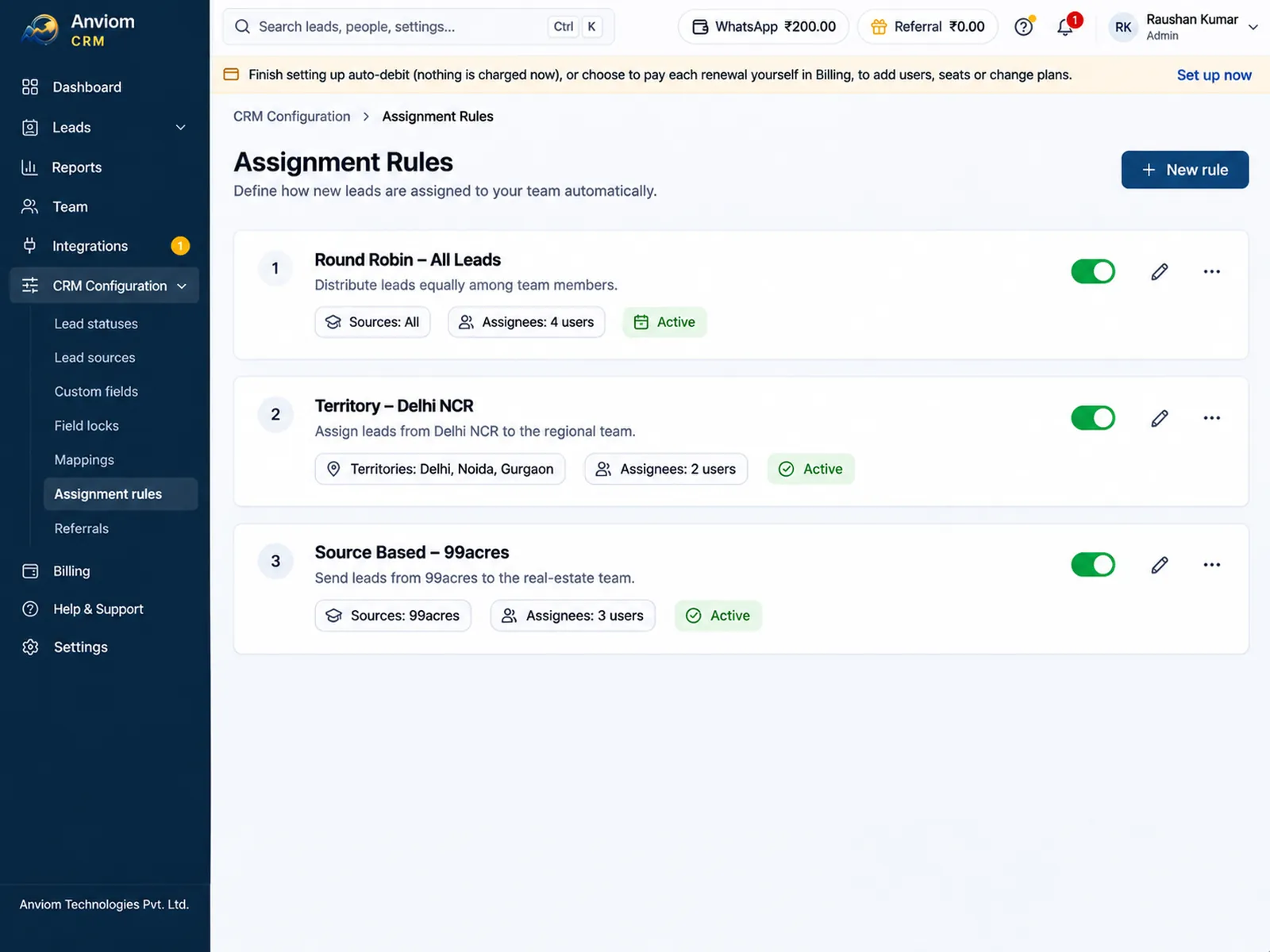
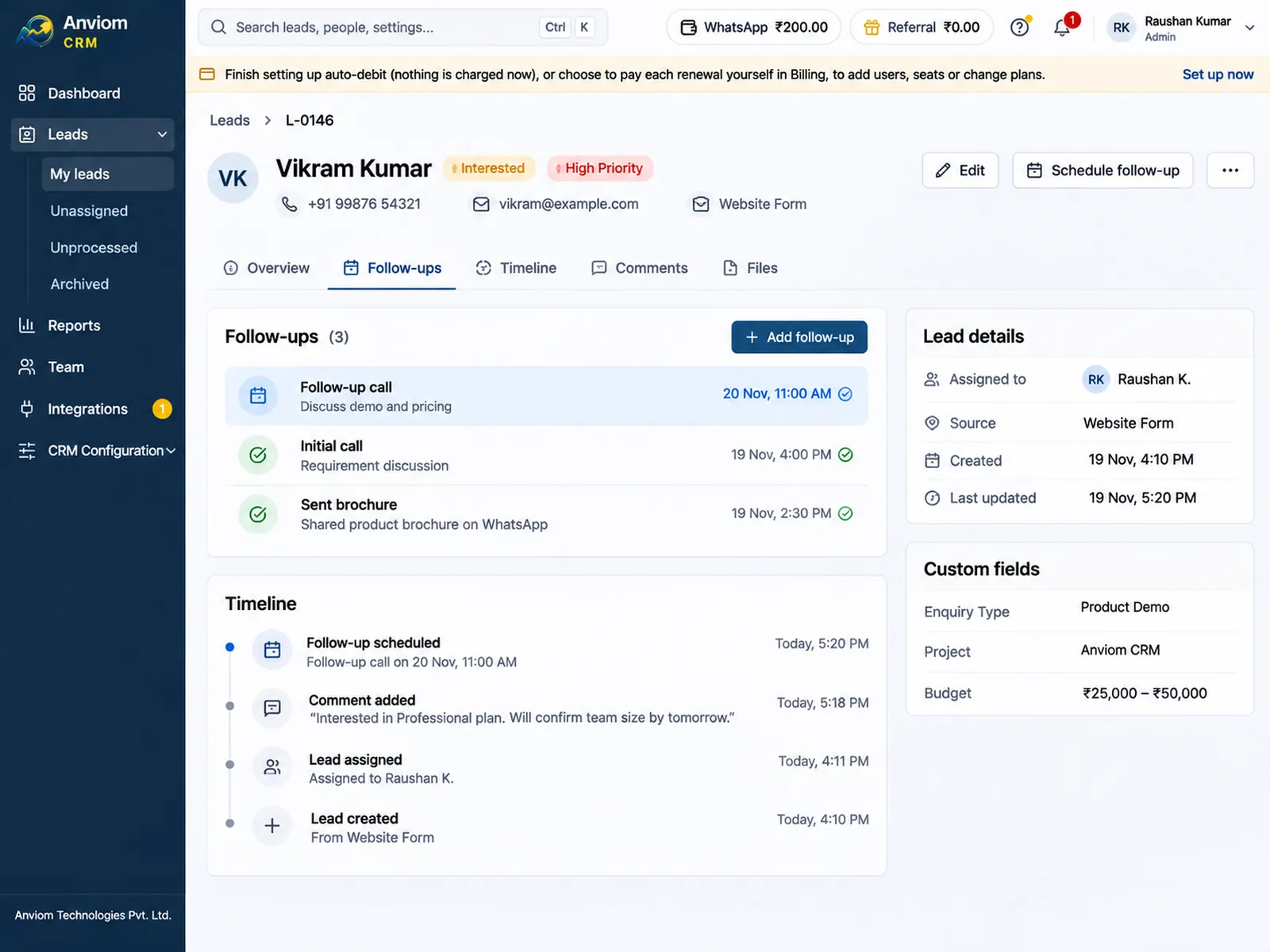
Questions
Which plan includes WhatsApp alerts?
Does Anviom CRM send WhatsApp messages to our leads?
Do we need our own WhatsApp Business account?
How do I get new Facebook leads on WhatsApp?
Will my team get WhatsApp messages at night?
What happens when the WhatsApp wallet is empty?

Read more
- Affordable CRM for small businesses in India
- CRM for Facebook & Instagram lead ads
- Privyr alternative: Anviom CRM compared
- CRM vs spreadsheets and WhatsApp groups
- TeleCRM alternative: Anviom CRM compared
- Lead management software for Indian sales teams
- LeadSquared alternative: Anviom CRM compared
- Zoho CRM alternative: Anviom CRM compared
- Lead distribution software: automatic lead assignment
- CRM for Instagram lead ads
- Sales CRM for small teams in India
- Lead routing by territory, city and project
- Sell.do alternative: Anviom CRM compared
- Meritto alternative: Anviom CRM compared
- All features
- Frequently asked questions

See Anviom CRM with your own lead flow
We'll walk you through capture, assignment and follow-ups — set up around how your team works.