

Features
Everything your team needs to work every lead
Capture, assignment, follow-up, reporting and administration — built into one CRM your sales team will actually use.
8 areas · 32 capabilities
Find what you need
Every capability below is available in Anviom CRM today. Items marked “Plan feature” are included on selected plans.
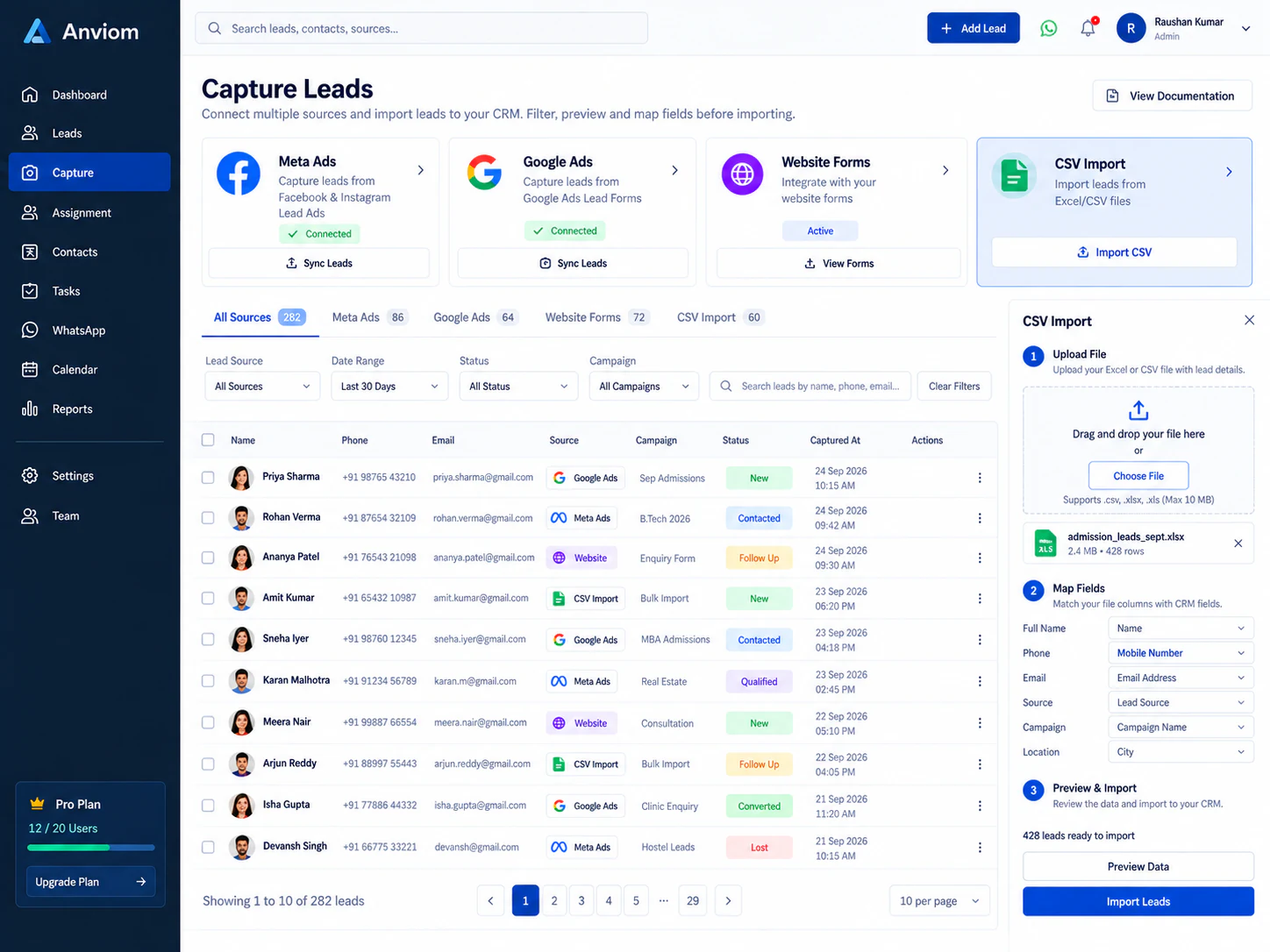
Capture
Every enquiry lands in one list — nothing lost between channels.
- Meta lead ads
- Leads from your Facebook and Instagram lead forms arrive automatically, with form fields mapped to CRM fields.
- CSV import
- Upload a spreadsheet, map its columns, pick a default status and source, and get a per-row error report.
- Manual entry
- Add a lead in seconds with only the fields your organization uses.
- Duplicate detection
- Leads sharing a phone or email are flagged; review matches, dismiss false positives, or merge history into one record.
- Recovery queue
- If a Meta lead can't be fetched (for example an expired token), it's parked — not lost — and can be reprocessed.
Assign & route
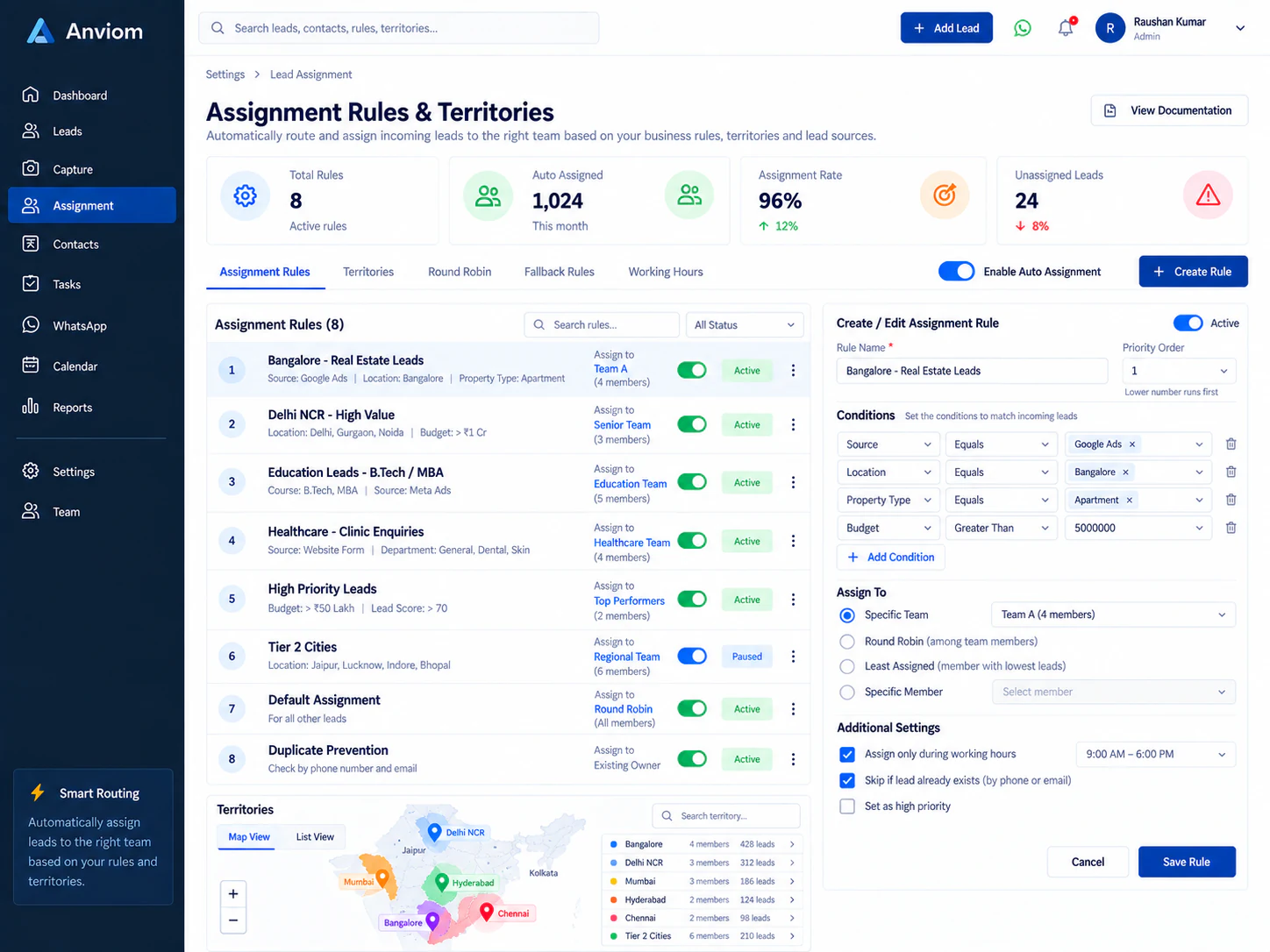
The right owner for every lead, automatically or in bulk.
- Assignment rules
- Route new leads by rules — territory, team and more — so they reach the right person immediately.
- Territories
- Define territories with members, access levels and assignment eligibility.
- Round-robin distributionPlan feature
- Spread leads evenly across eligible team members.
- Bulk actions
- Select leads to auto-assign, transfer, change status, tag or archive in one step.
- Availability controls
- Pause a rep's lead flow while they're away; record leave with a delegate.
Follow up
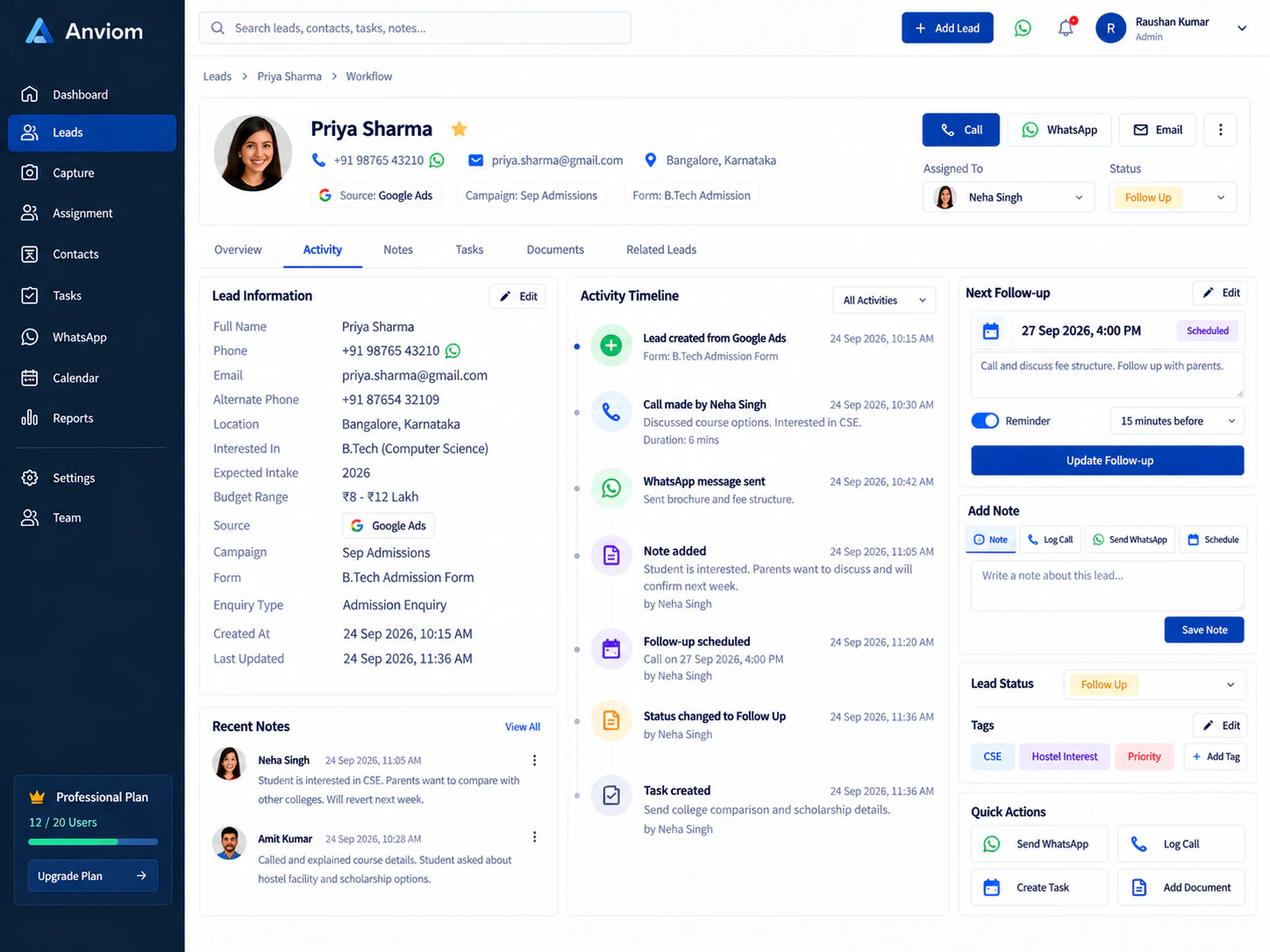
A daily workflow that keeps every lead moving.
- Follow-ups & reminders
- Schedule follow-ups, get reminded before they're due, and see overdue work on your dashboard.
- Notes, activities & files
- Log calls and meetings, keep shared or private notes, and attach documents to the lead.
- Complete timeline
- Every assignment, status change and note in one chronological history.
- Status approvals
- Require approval for sensitive status transitions; approvers act from one queue.
- Saved views & search
- Search by name, phone, email or lead number and save the filter sets you use every day.
Configure
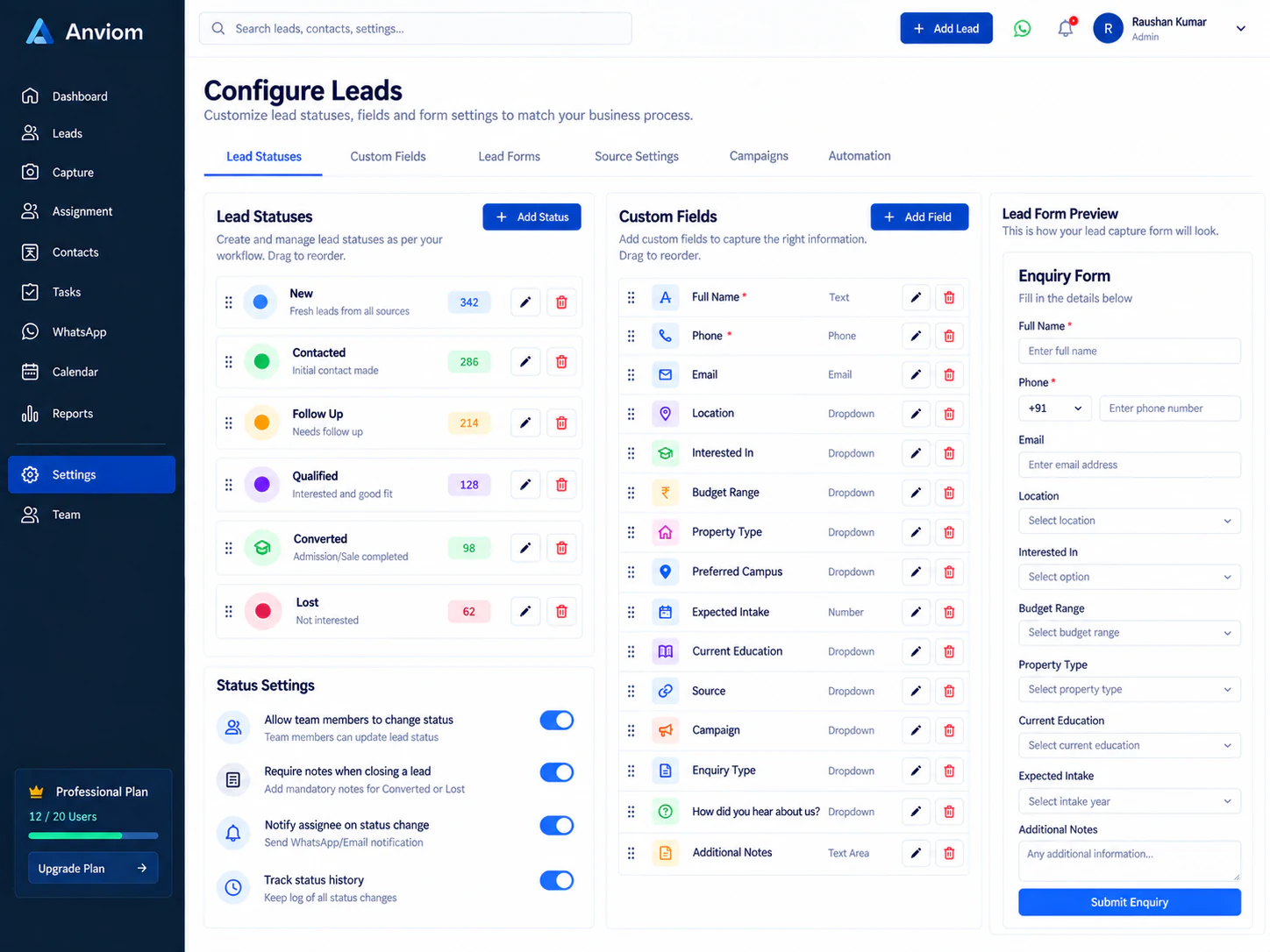
Shape the CRM to your process without code.
- Custom lead statusesPlan feature
- Your own pipeline stages, grouped into open, follow-up, converted and lost.
- Custom fieldsPlan feature
- Capture the details your business needs — text, numbers, dates, dropdowns and more.
- Sources, tags & aliases
- Track where leads come from and organise them your way.
- Field visibility
- Hide built-in fields your team doesn't use.
Team & access
Structure that mirrors your organization.
- Hierarchy & visibility
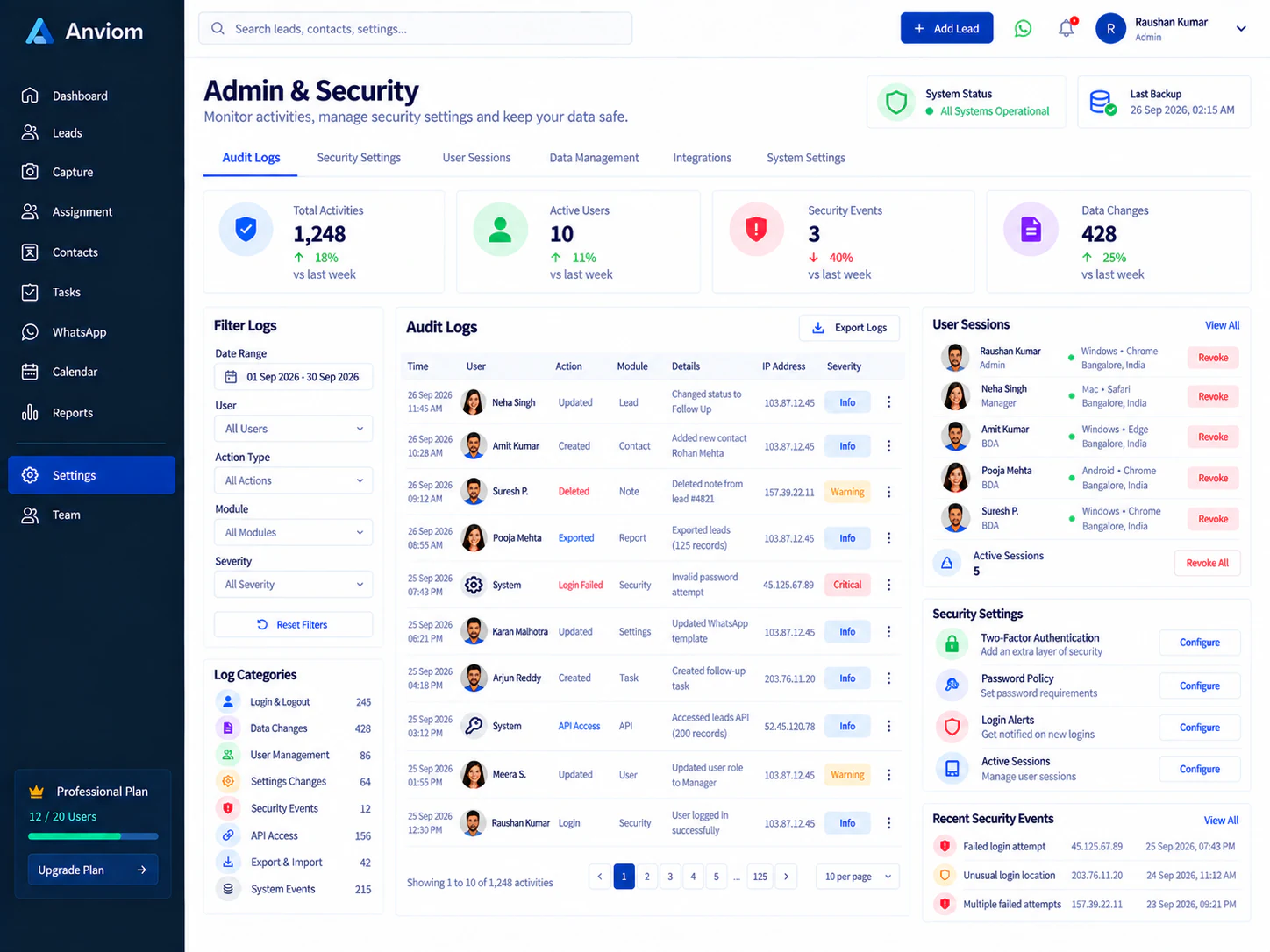
- Roles with rank and visibility scope — own, team, department, reporting chain or the whole organization.
- Granular permissions
- Role defaults plus per-user permission roles for exceptions.
- Departments, teams & org tree
- Model your structure and see it at a glance.
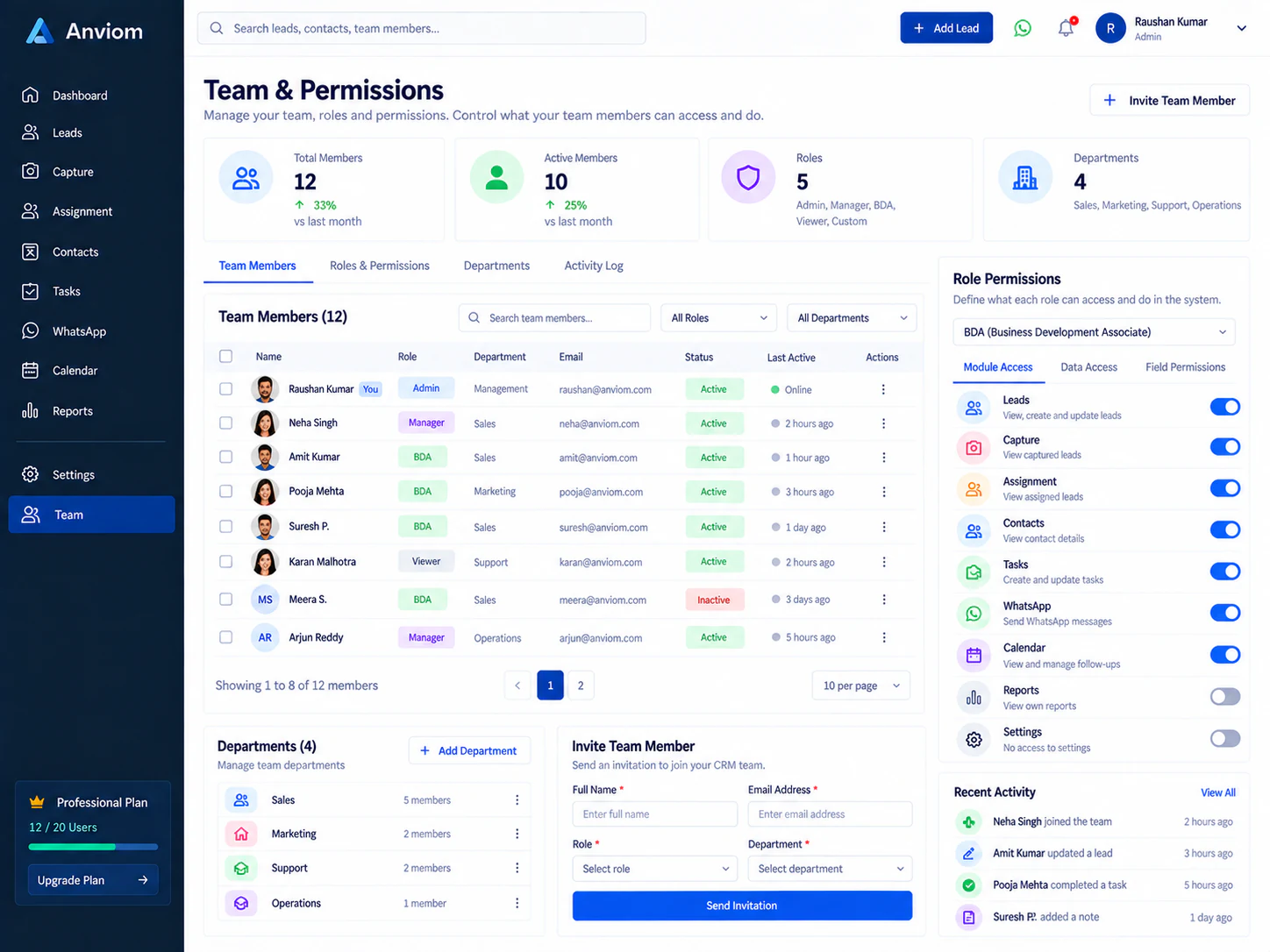
Reports
Know what's working and where leads stall.
- Dashboard
- Key numbers, your follow-ups and the pipeline at a glance.
- Trends & sources
- New leads and conversions over time, and performance by source.
- Funnel & velocity
- How many leads reach each stage, and how long they spend there.
- Team leaderboard
- Conversions and win rate by rep, plus idle-lead ageing.
- Exports
- Export filtered lead lists and reports to CSV.
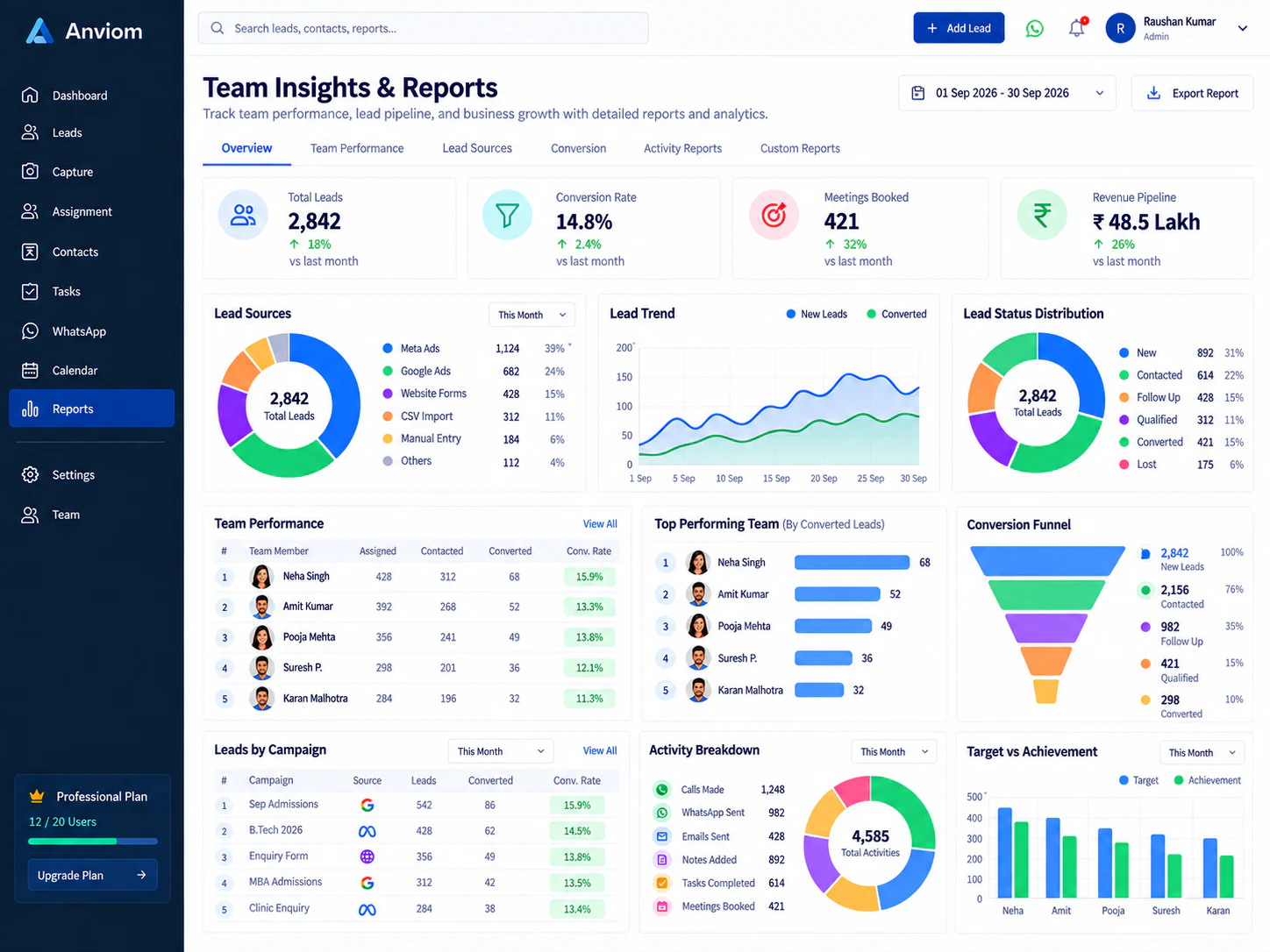
Message leads through your own WhatsApp Business account.
- WhatsApp Business connectionPlan feature
- Connect your WABA and manage message templates and their approval status.
- Usage visibility
- See how many messages were queued, sent and failed. Messaging charges are billed to you directly by Meta.
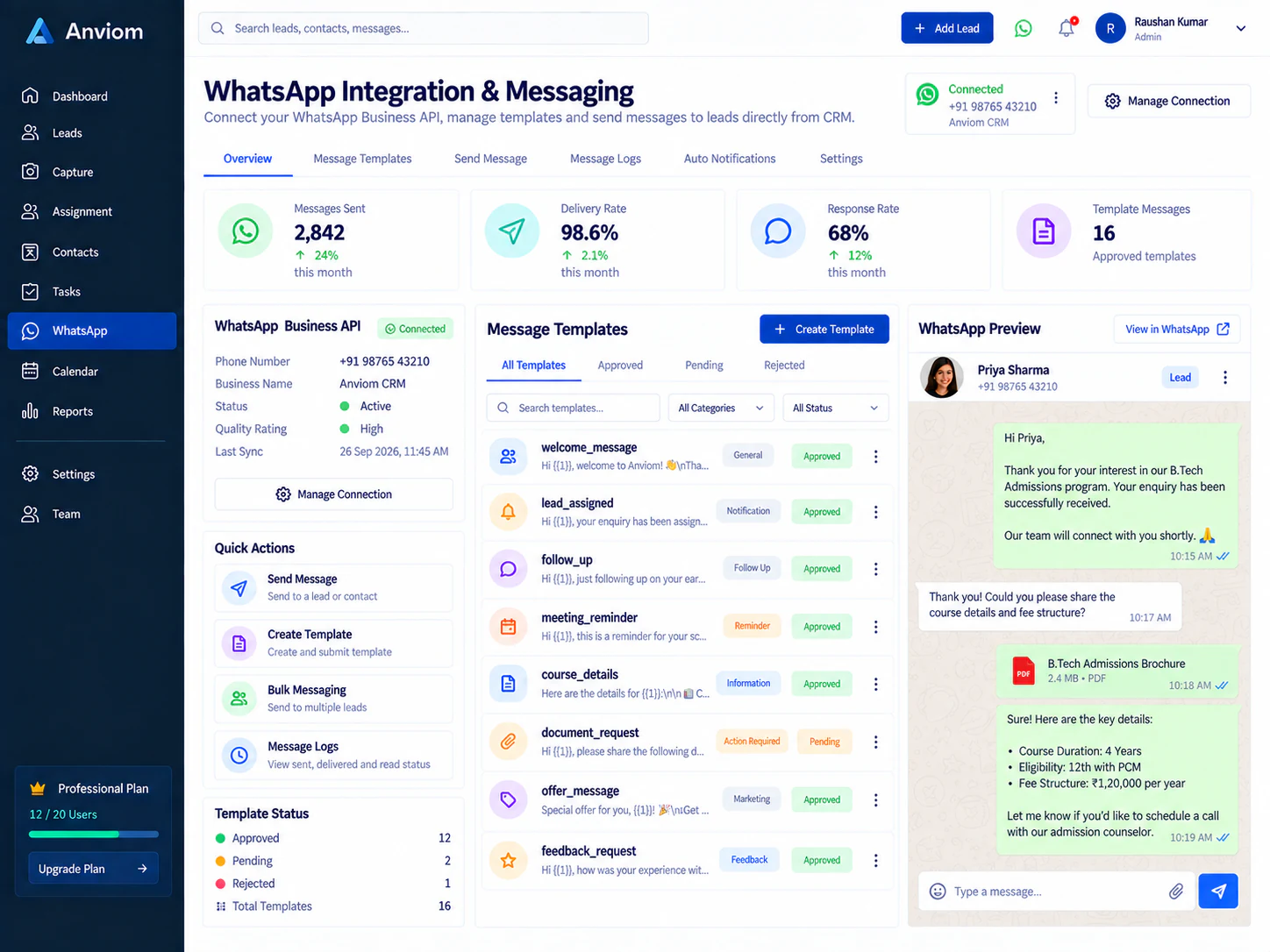
Admin & security
Control and accountability for administrators.
- Audit log
- An append-only record of significant actions, filterable and exportable.
- Session management
- See active sessions and sign out other devices.
- Notification preferences
- Choose which roles get which alerts, by email and WhatsApp.
Items marked Plan feature are included on selected plans — see pricing for what each plan includes.

See Anviom CRM with your own lead flow
We'll walk you through capture, assignment and follow-ups — set up around how your team works.