

Comparing TeleCRM
A TeleCRM alternative for teams that run lead ads
An honest side-by-side of Anviom CRM and TeleCRM - prices, lead capture, routing, WhatsApp alerts and where each one fits better - so you can decide which suits your team.
Who looks for a TeleCRM alternative
Teams usually start comparing when their work changes: most enquiries now come from Facebook and Instagram lead ads rather than calling lists, every lead needs an owner the moment it arrives, or they would rather pay monthly than for a quarter or a year.
Anviom CRM is a lead management CRM built for exactly that kind of team in India - coaching institutes, real estate teams, clinics and B2B sellers that run lead ads. Leads from your Meta lead forms arrive within seconds of the form being submitted, each one gets an owner straight away by your rules, every call ends with a next follow-up date, and on Professional your salespeople get a WhatsApp alert when a lead is assigned to them or a follow-up is due.
If calling from a built-in dialer is the centre of your team's day, TeleCRM may still fit better, and we say so below. TeleCRM facts here come only from its own published pages; where something is not published, we say so.
Anviom CRM vs TeleCRM at a glance
| Anviom CRM | TeleCRM | |
|---|---|---|
| Price per user | Rs 399 (Starter) or Rs 699 (Professional) per user per month | Core CRM: Rs 1,099 per user per month billed quarterly, or Rs 799 per user per month billed yearly |
| Users included / minimum | Starter includes 5 users, Professional 10. The Admin does not use a seat | Not published |
| Billing options | Monthly, or yearly at about 20% less | Quarterly or yearly; no monthly option listed |
| GST | Included in the price, with online payment charges | Not published |
| Free trial | Yes - no payment needed to start | Not published |
| Meta (Facebook/Instagram) lead ads | Yes, on every plan, with form answers mapped to CRM fields | Yes, Facebook ads integration |
| Assignment rules / round robin | Automatic assignment on every plan; rules by team and round robin on Professional | Round robin and city/location rules, described on TeleCRM's blog |
| Territory or PIN-code routing | Territories on Professional; rules on city, project or any field. A PIN code typed as the city is turned into the city name | City/location rules (blog); PIN-code routing not published |
| WhatsApp alerts to reps | Professional: alert on each new lead and due follow-up, paid per message from a WhatsApp wallet | WhatsApp Business API setup Rs 1,999 one-time, plus Meta's charges; alerts to reps not published |
| Data location | India (AWS Mumbai region) | Not published |
| Built-in dialer and call recording | No. Tap Call on a lead to ring from your phone, then log the call on the lead | Yes - TeleCRM's main strength |
Where TeleCRM is the better choice
TeleCRM is built around calling, and that is a genuine strength. It has a built-in dialer and call recording. Anviom CRM has neither: tapping Call on a lead opens your phone's own dialler, and the rep logs the call and its outcome on the lead afterwards.
- Calling-heavy teams. If reps work through long calling lists every day, a dialer inside the CRM saves time on every call.
- Call quality reviews. If managers listen to recorded calls for training or disputes, TeleCRM records them and Anviom CRM does not.
- Cold databases. If most leads are bought lists or old customer data, a dialer-first tool suits that work better than a CRM built around lead ads.
- WhatsApp to leads. TeleCRM lists WhatsApp Business API setup for Rs 1,999 one-time plus Meta's charges. Anviom CRM's WhatsApp messages today go to your own team, not to leads.
Where Anviom CRM fits better
If your leads come from ads and the job is to reach each one fast, these are the differences you will notice.
- Lead ads first. Connect from Integrations > Meta / Facebook, choose your pages, and each new lead arrives within seconds with its answers in the right fields. When a form has new questions, AI suggests the matching field and nothing changes until an Admin confirms.
- No lead lost to an expired login. If Facebook ends the connection, leads are kept and processed again once you reconnect.
- An owner the moment a lead arrives. Starter assigns automatically across the organisation. On Professional, rules such as 'When City is Pune, give the lead to the Pune team' send leads to a team or territory, then share them in turn or to whoever has the fewest. People on approved leave or with paused lead flow are skipped.
- Pay monthly, GST included. Rs 399 or Rs 699 per user per month with GST and online payment charges already in the price, or about 20% less on yearly billing. The Admin never uses a seat.
- Follow-ups that happen. Every call ends with a next follow-up date and a reminder, and today's and overdue follow-ups sit on the dashboard.
- WhatsApp alerts for reps. On Professional, the rep gets a short WhatsApp message for each new lead and due follow-up, within the sending hours you set.
- Data in India. Lead data is stored in the AWS Mumbai region. Anviom CRM is made by Anviom Technologies Private Limited, Bengaluru.
How switching works
Moving from TeleCRM is mostly a spreadsheet and a few settings.
- Export your leads from TeleCRM to a spreadsheet and save it as CSV (in Excel: File > Save as > CSV).
- Import the file in Leads > Import, matching each column to a CRM field; duplicates are flagged by phone and email. Step by step: Import leads from a spreadsheet
- Connect your lead forms in Integrations > Meta / Facebook. Only new leads arrive automatically, so older Facebook leads come in through the same CSV import. Use Send test lead to watch one arrive and get an owner.
- Set who gets each lead in CRM Configuration > Assignment rules. Use Try it to check which rule a sample lead would match.
- Invite your team from Team > Users > Add user, choosing each person's role, team and reporting manager.
- On Professional, switch on WhatsApp alerts in Integrations > WhatsApp, add money to the wallet, and ask each rep to add their mobile number.
- Guided or on your own. Every new account can have a trainer for its first 7 days at no extra cost. Over screen share, the trainer guides your Admin through setup, Meta lead ads, WhatsApp alerts, team training and manager reports, while your Admin makes the changes. Or choose 'I'll set it up myself' and follow the setup checklist on your dashboard, with a Help article for each step.
See it in Anviom CRM
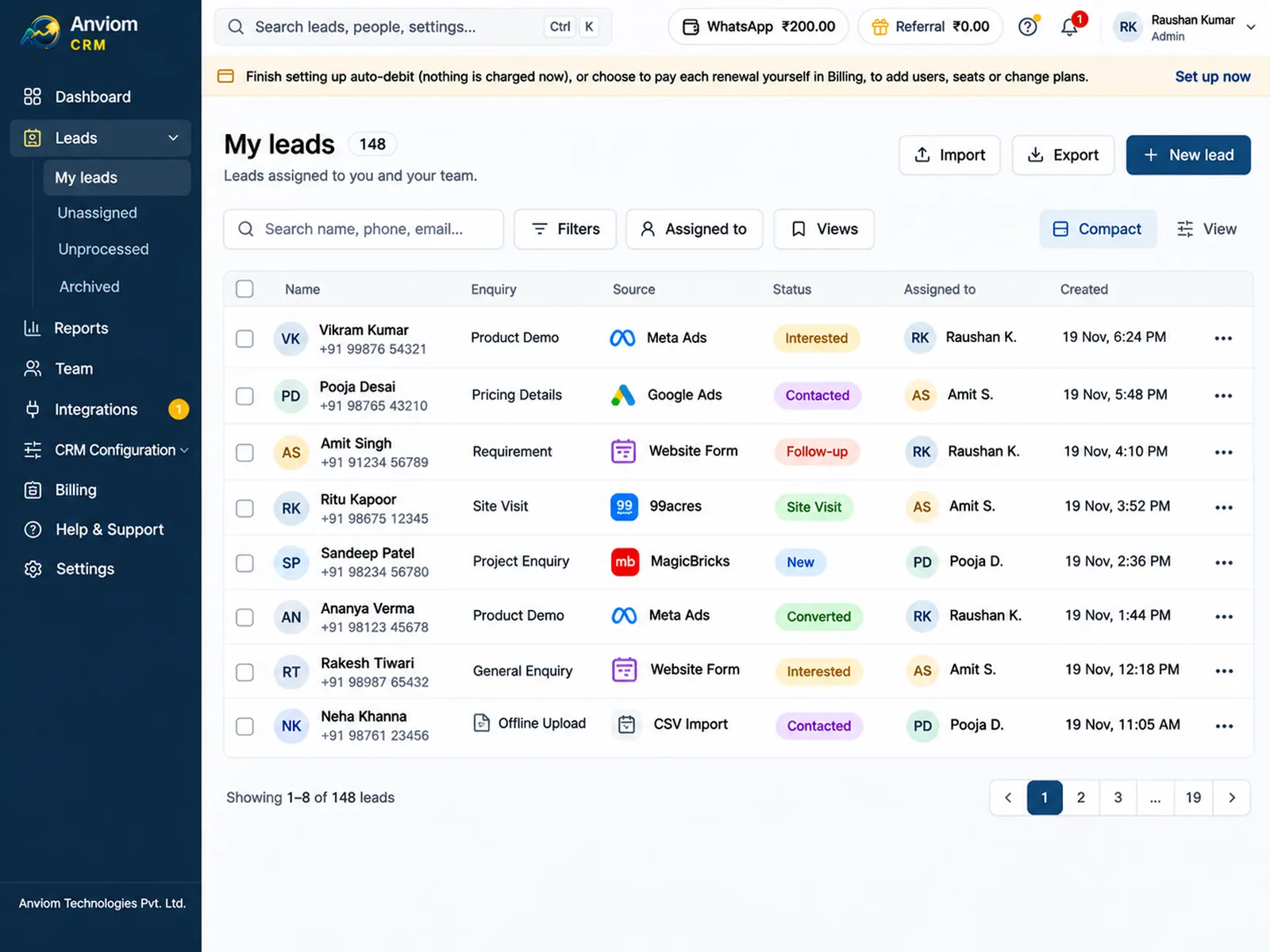
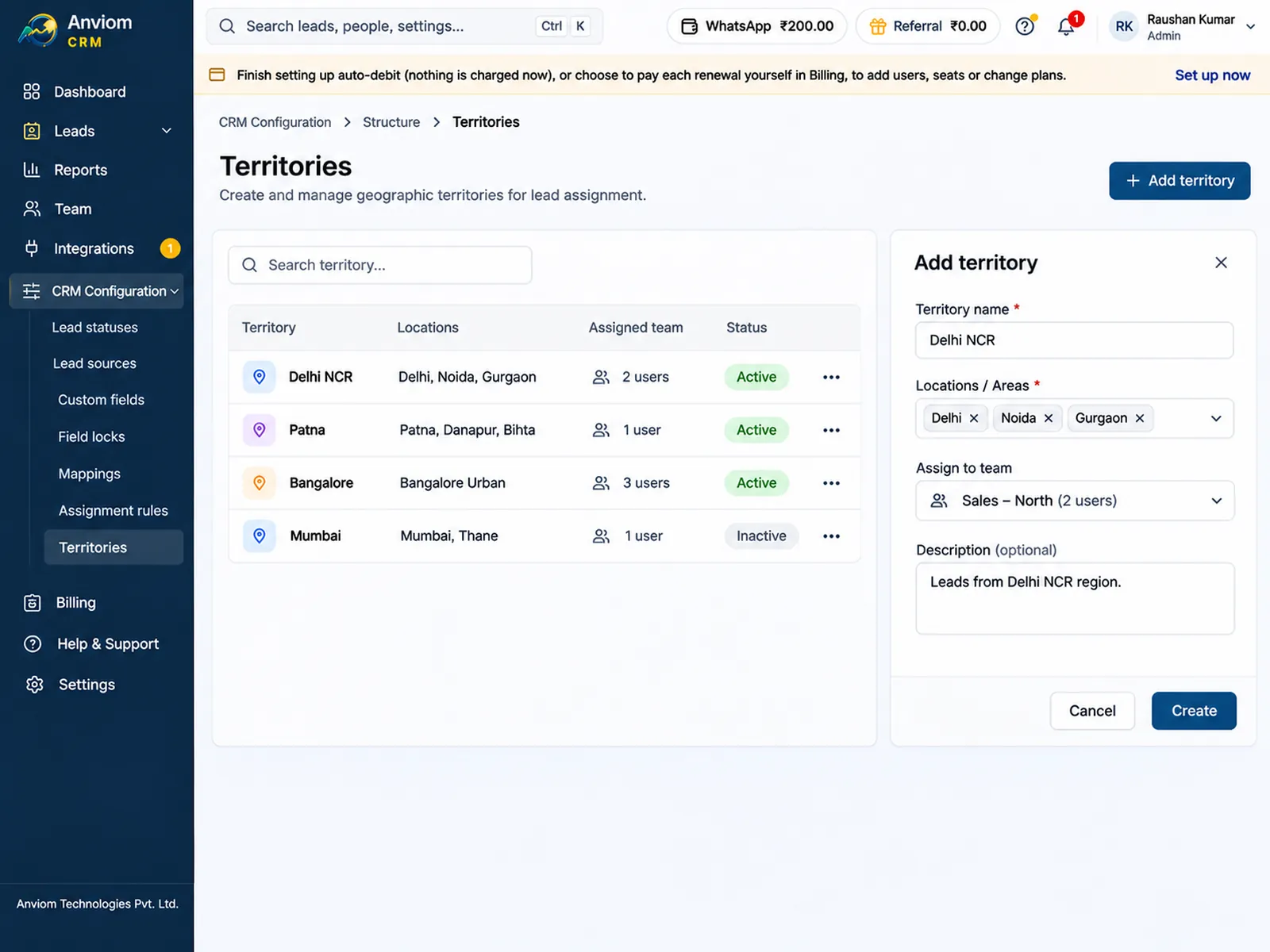
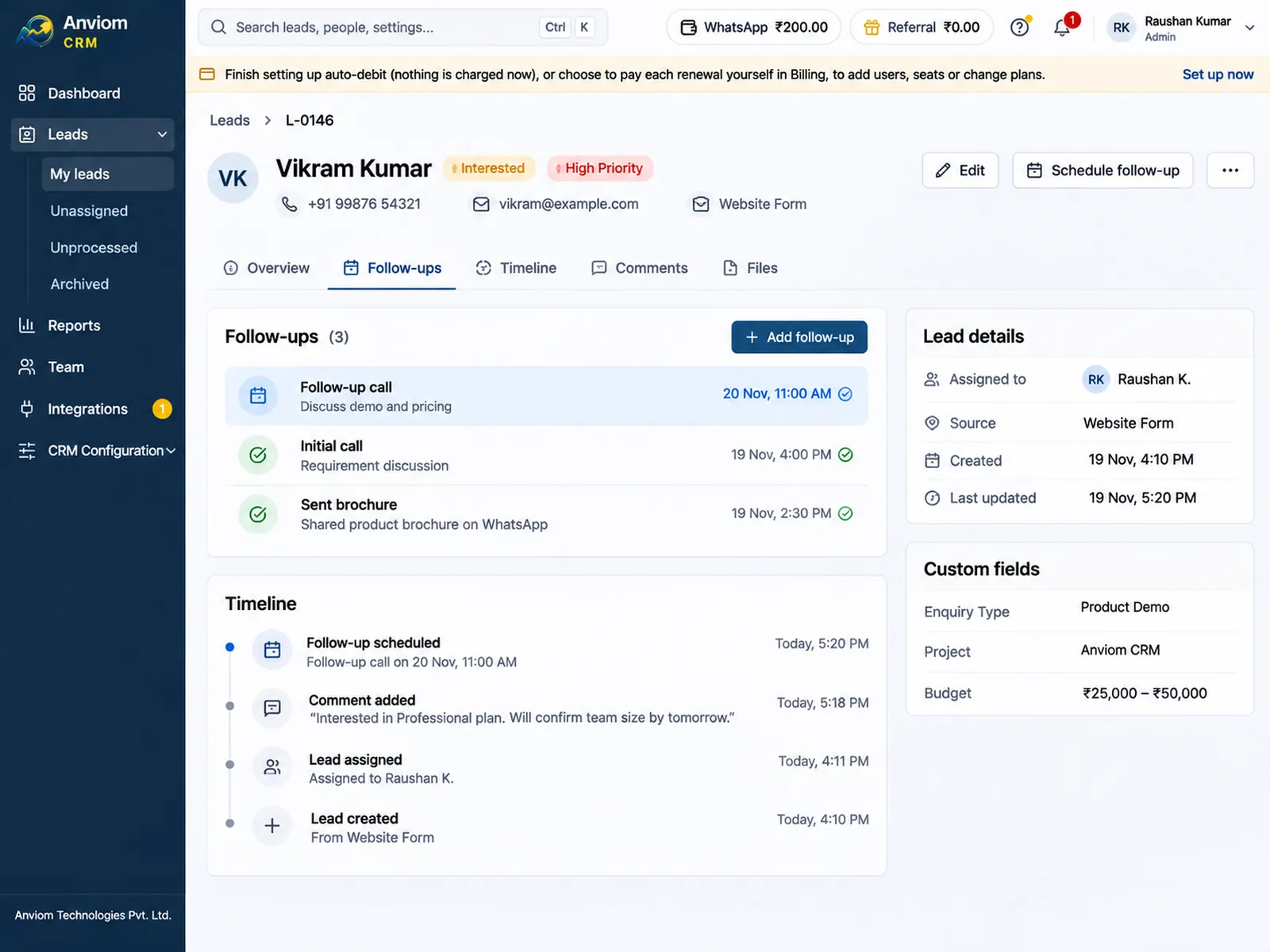
Questions
Can we move our leads from TeleCRM?
Does Anviom CRM have a built-in dialer or call recording?
Which plan do we need for round robin and WhatsApp alerts?
Is there a free trial?

Read more
- Affordable CRM for small businesses in India
- CRM for Facebook & Instagram lead ads
- Privyr alternative: Anviom CRM compared
- CRM vs spreadsheets and WhatsApp groups
- Lead management software for Indian sales teams
- LeadSquared alternative: Anviom CRM compared
- Zoho CRM alternative: Anviom CRM compared
- Lead distribution software: automatic lead assignment
- CRM for Instagram lead ads
- Sales CRM for small teams in India
- Lead routing by territory, city and project
- Sell.do alternative: Anviom CRM compared
- Meritto alternative: Anviom CRM compared
- WhatsApp alerts for new leads and follow-ups
- All features
- Frequently asked questions

See Anviom CRM with your own lead flow
We'll walk you through capture, assignment and follow-ups — set up around how your team works.