

Lead distribution
Lead distribution software that shares leads fairly - and skips people who are away
Lead distribution software gives each new enquiry to a salesperson automatically, so no lead waits for a manager to share it out and nobody gets more than their fair share. Anviom CRM does this the moment a lead arrives, and skips anyone on leave or paused.
Why distribution needs software
When a manager shares leads out by hand on a WhatsApp group, three things go wrong. Leads wait while the manager is busy. The people the manager trusts most get the best leads, and the rest stop trying. And leads keep going to someone who is on leave, where they sit uncalled for days.
Distribution is about fairness and reliability within a team. Deciding which team a lead belongs to - by city, project or branch - is routing, and is covered on our lead routing page. Once a lead has its team, distribution decides which person gets it.
On every plan: organisation-wide sharing in turn
On the Assignment rules page, switch on Organization-wide automatic assignment. Every new lead then goes to the next person in turn, across everyone in the organisation who can take leads, whatever their role. A line marked Next lead tells you in plain words what will happen to the next lead - for example, that it will be shared in turn across 8 people.
The Admin never gets leads. On Starter, this is how leads are distributed; on Professional it also catches leads that no rule assigns.
On Professional: choose how each territory shares its leads
Each assignment rule says who in its territory gets the lead:
- In turn, one by one - the next person in the list. Simple and fair when everyone handles the same kind of lead.
- Whoever has the fewest leads - the member with the fewest leads currently assigned. Useful when someone joins mid-month and should catch up.
- In turn, by each person's weight - a member with weight 2 gets twice as many leads as one with weight 1. Useful for part-time staff or new joiners on a lighter load.
- The first person free, in their set order - by each member's priority number, so a senior person gets leads while available and the next takes over when they are away.
- I'll assign it myself - the lead is tagged with the territory and waits in Leads > Unassigned for a manager to give it out.
Who is skipped, automatically
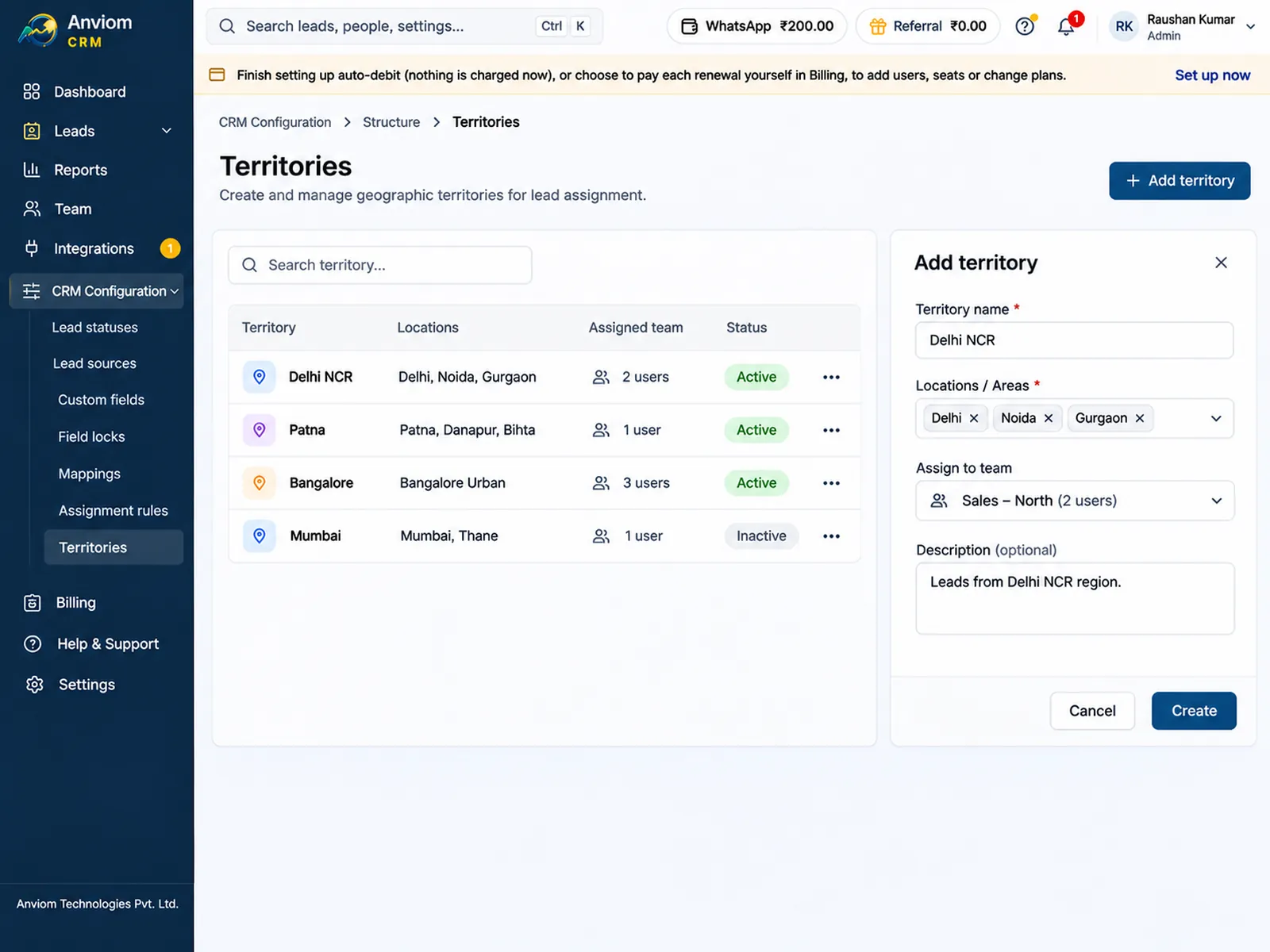
Before choosing a person, Anviom CRM drops anyone who should not get a lead right now: the Admin, people on approved leave, people whose lead flow is paused (by themselves, for their team or for the whole organisation), deactivated users, and territory members whose Gets leads switch is off. The territory's members list shows, for each person, whether they can receive leads now and the reason if not.
If nobody in a territory can take the lead, it is shared in turn across the organisation when Organization-wide automatic assignment is on; otherwise it waits in Leads > Unassigned for a manager. With that switch on, leads that waited because nobody at all was available are given out automatically once someone becomes available again.
Leave and pauses without manual juggling
- A person (or their manager) turns off Receive new leads for a busy day. Their existing leads stay with them.
- Team > Availability pauses lead flow for one team or the whole organisation. New leads wait as Unassigned and go out automatically when you resume. Each person's own switch is kept as it was.
- Leave is applied for in Team > Leave and approved by the reporting manager or someone above. Approved leave pauses the person's lead flow automatically.
- While someone is on leave, their follow-up reminders go to their nearest available manager, and WhatsApp alerts to them stop.
Reassignment when things change
Select one lead or many in the Leads list and choose Transfer to give them to someone else, with the option to show them to the new owner as new. Managers can move all of a person's leads in one go - the first step when someone leaves, before you deactivate them in Team > Users. Every transfer is recorded on the lead's timeline, and the Transfers tab on the Reports page shows how leads moved between people.
A repeat enquiry from someone already in the CRM goes back to the person who owns their earlier lead, if they can take leads, so two salespeople don't call the same buyer.
Example: a 12-person admissions team
An institute has 10 full-time counsellors and 2 part-timers in one territory. It uses in turn by each person's weight, with weight 2 for full-timers and 1 for part-timers, so each part-timer gets half a full-timer's share. When a counsellor goes on approved leave for a week, their share goes to the other 11 with no change to the rules, and their follow-ups reach their manager. When they come back, they are in the rotation again.
Owners know at once
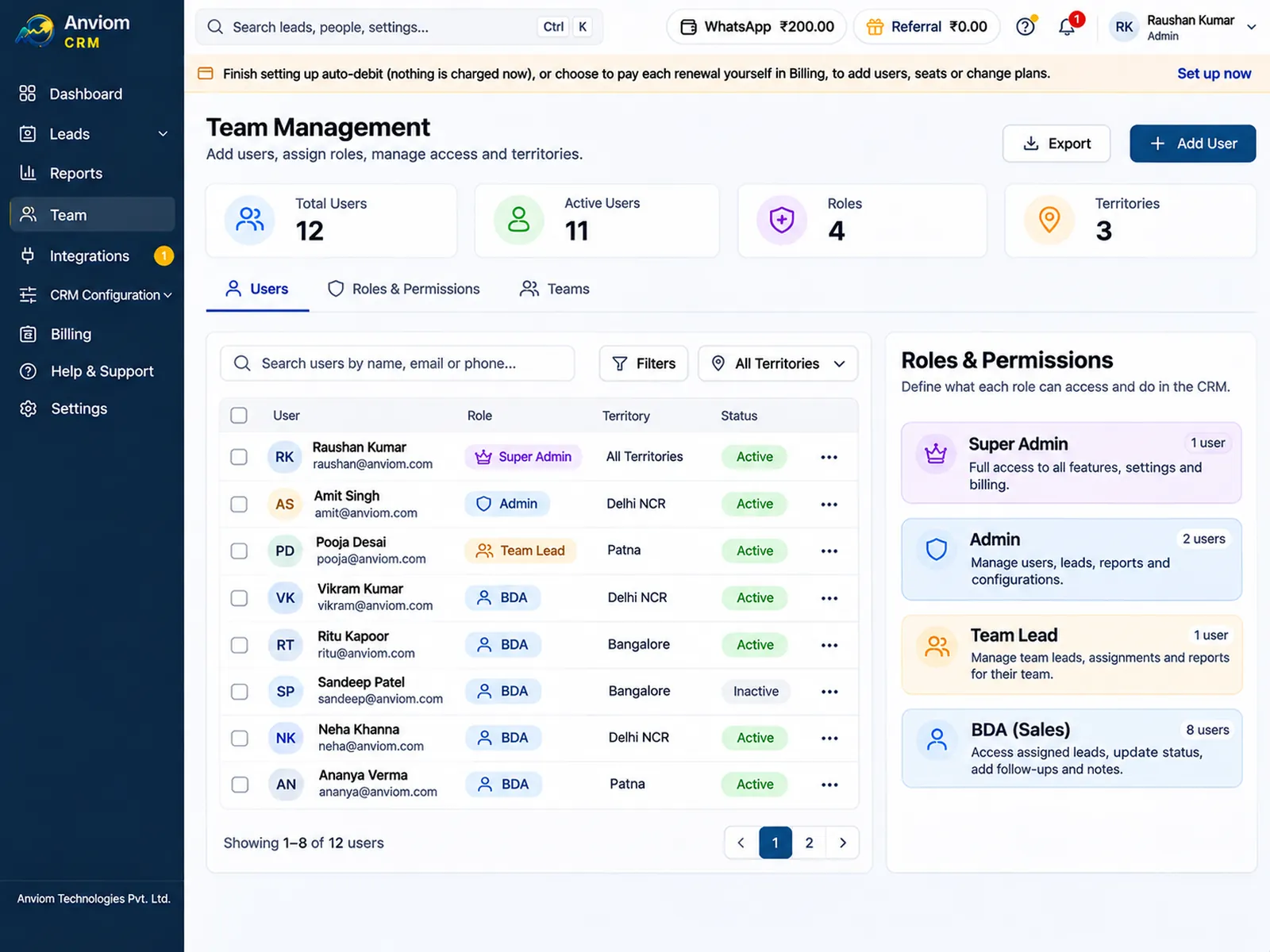
- On Professional, the owner gets a WhatsApp alert the moment a lead is assigned to them, paid from the WhatsApp wallet.
- New leads and today's follow-ups show on their dashboard and in the mobile app.
- Managers see each person's open and idle leads on the Team tab of Reports (team reports are on Professional).
Pricing
- Starter Rs 399 per user per month: organisation-wide automatic assignment, pauses, leave and bulk transfer.
- Professional Rs 699 per user per month: adds territories, per-territory sharing choices and WhatsApp alerts.
- Prices include GST and online payment charges. Annual billing saves about 20%.
Questions
What is round-robin lead distribution?
Should we use round robin or fewest leads first?
What happens to leads when someone is on leave?
Does the Admin get leads?
Can we stop all lead distribution for a day?

Read more
- Affordable CRM for small businesses in India
- CRM for Facebook & Instagram lead ads
- Privyr alternative: Anviom CRM compared
- CRM vs spreadsheets and WhatsApp groups
- TeleCRM alternative: Anviom CRM compared
- Lead management software for Indian sales teams
- LeadSquared alternative: Anviom CRM compared
- Zoho CRM alternative: Anviom CRM compared
- CRM for Instagram lead ads
- Sales CRM for small teams in India
- Lead routing by territory, city and project
- Sell.do alternative: Anviom CRM compared
- Meritto alternative: Anviom CRM compared
- WhatsApp alerts for new leads and follow-ups
- All features
- Frequently asked questions

See Anviom CRM with your own lead flow
We'll walk you through capture, assignment and follow-ups — set up around how your team works.