

Anviom CRM for education
Turn admission enquiries into enrolments
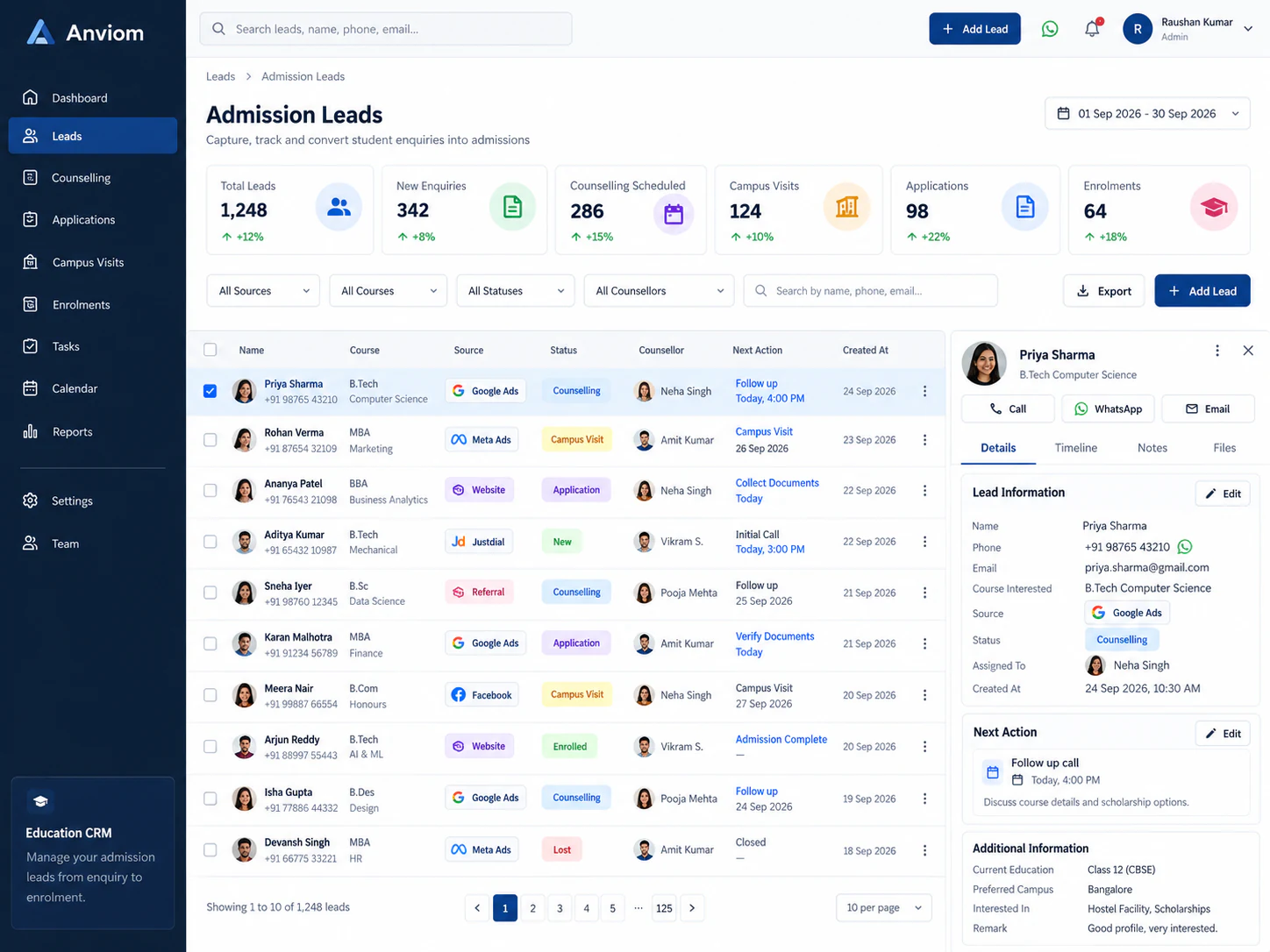
Capture enquiries from campaigns and walk-ins, route them to the right counsellor, and make sure every prospective student gets a timely follow-up.

The problem
Where enquiries slip through today
Enquiries from ads, forms and walk-ins scattered across sheets and phones
Counsellors cherry-picking leads while others go cold
No clear view of which campaigns actually produce admissions
How it works
Your education workflow in Anviom CRM
- 1
Capture
Meta lead-ad enquiries arrive automatically; walk-ins and fair registrations are added or imported by CSV.
- 2
Assign
Assignment rules send each enquiry to the right counsellor by course, campus territory or team.
- 3
Follow up
Counsellors schedule calls and campus visits as follow-ups and get reminded before they're due.
- 4
Track
Move students through your own admission stages and see conversion by source and campaign.
Your pipeline
Stages that match how you actually sell
Every stage is configurable. Here's an example pipeline — rename, add or reorder stages to fit your process.
- 1New enquiry
- 2Counselling call
- 3Campus visit
- 4Application
- Admitted
Built in
What your team gets
- Custom fields for course, intake and academic details
- Duplicate detection when the same student enquires twice
- Leaderboard to see counsellor conversion and win rate
- Campaign and source reports to see where admissions come from

See Anviom CRM for education
We'll walk you through capture, assignment and follow-ups — set up around how your team works.