

Anviom CRM for healthcare
Respond to every patient enquiry on time
Bring enquiries for consultations, packages and services into one place, route them to the right coordinator, and follow up consistently.

The problem
Where enquiries slip through today
Enquiries from campaigns and calls handled inconsistently
Coordinators unsure who owns which enquiry
No visibility into which services and campaigns drive appointments
Call-backs for high-value procedures forgotten after the first conversation
How it works
Your healthcare workflow in Anviom CRM
- 1
Capture
Campaign enquiries arrive automatically; call-centre and front-desk enquiries are added or imported.
- 2
Assign
Rules route each enquiry to the coordinator or team for that department or location.
- 3
Follow up
Schedule call-backs and appointment reminders for your team as follow-ups.
- 4
Review
Track enquiries through your own stages and report on sources and team performance.
Your pipeline
Stages that match how you actually sell
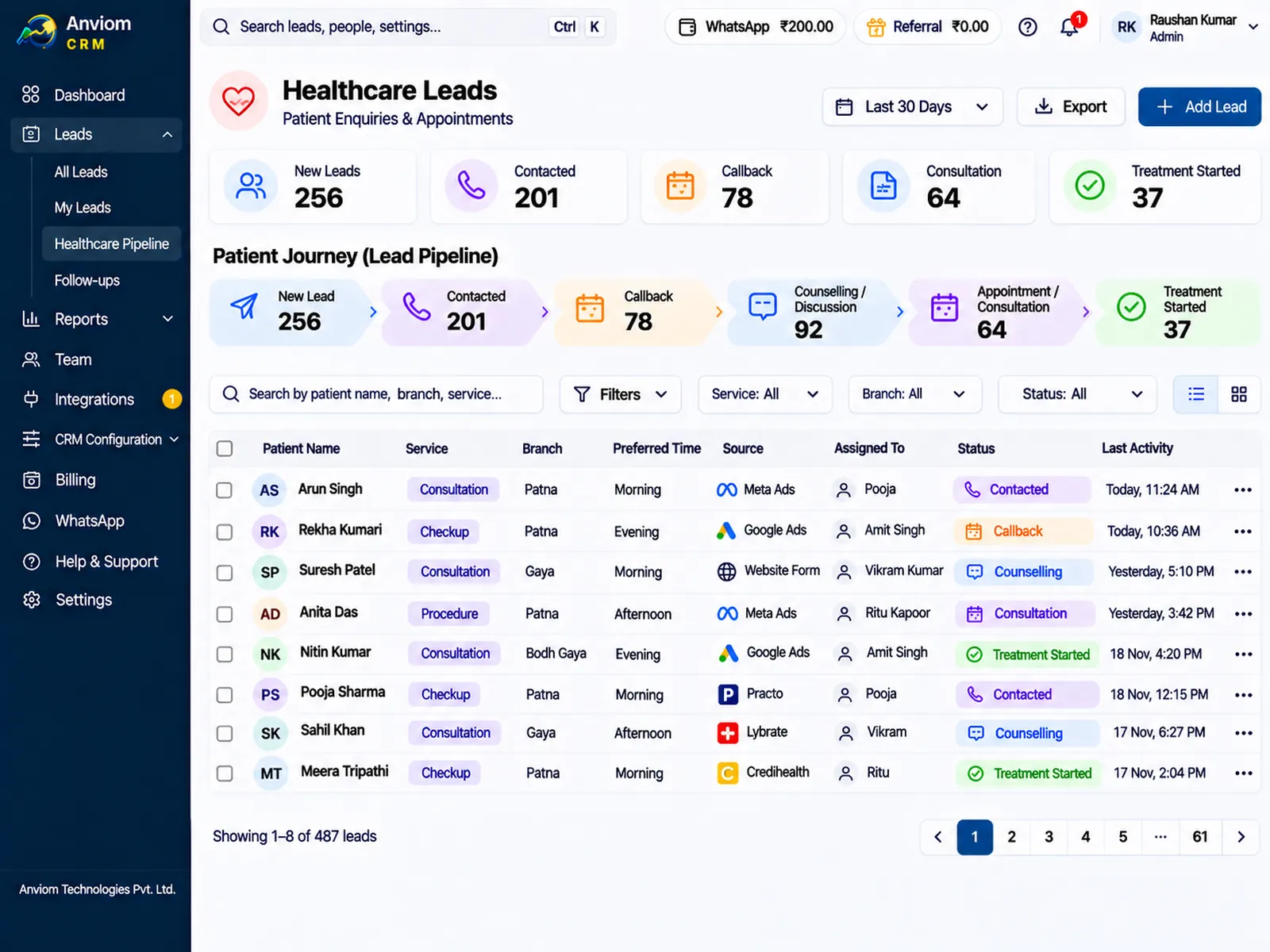
Every stage is configurable. Here's an example pipeline — rename, add or reorder stages to fit your process.
- 1New enquiry
- 2Call back
- 3Appointment booked
- 4Visited
- Closed
Built in
What your team gets
- Role-based visibility so teams see only the enquiries they should
- Private notes when context shouldn't be shared org-wide
- Audit log of significant actions for administrators
- Custom fields for the service or department enquired about
- Routing by department, branch or city to the right coordinator (Professional)
- Reminders before every call-back, and today's and overdue call-backs on each dashboard
Every enquiry in one place
Enquiries reach a clinic or hospital from many directions. Anviom CRM collects them so each one has an owner and a next step.
Facebook and Instagram lead forms for consultations, health check packages or specific services arrive automatically, with the form's answers mapped to your fields. Front-desk staff add walk-in and phone enquiries in a few seconds with Add lead, on the web or from Quick actions on the app, and choose the source. Lists from a call centre, a camp or an event come in by CSV import.
Add the details your coordinators need as custom fields in CRM Configuration > Custom fields - department, service or package, branch, preferred day. Keep them to what is needed to call back and arrange a visit. If the same phone number or email is already in Anviom CRM, the enquiry is flagged as a duplicate instead of being created twice, so a person who enquired by ad and then phoned is handled by one coordinator.
Appointment requests and call-backs
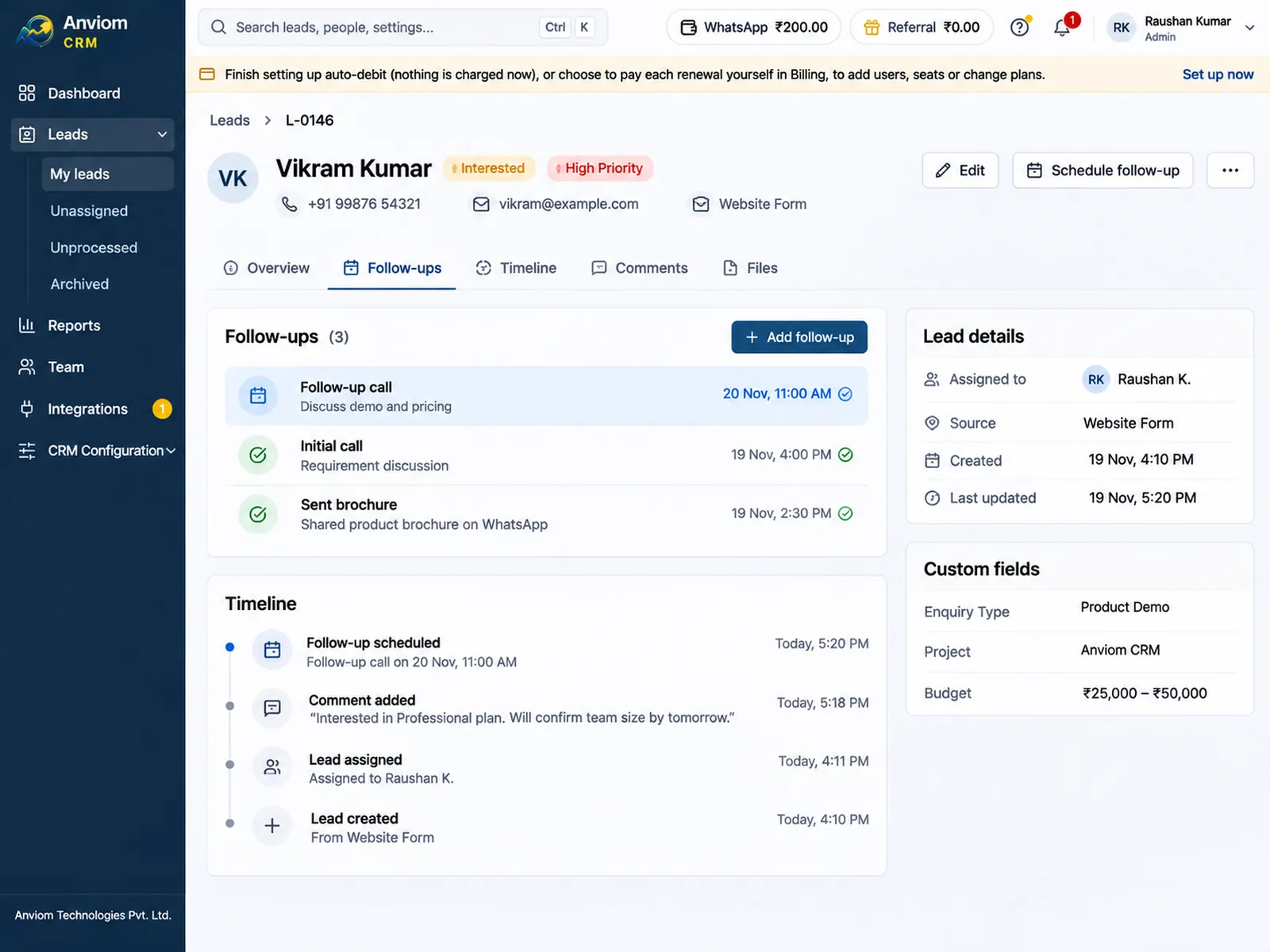
Most enquiries need a call back: to answer a question about a package, confirm a preferred time, or check whether the person still wants to visit. Make statuses such as Call back a follow-up status, so moving an enquiry there asks for the next date and time. A reminder arrives before it is due - in the app, on the web, and on WhatsApp on Professional - and today's and overdue call-backs show on each coordinator's dashboard.
Anviom CRM does not keep a doctor's calendar. When the appointment is booked in your scheduling system, the coordinator moves the enquiry to Appointment booked and can set a follow-up for the day after the visit. Moving it to Closed or Not interested closes any open follow-ups. Over time, reports show how many enquiries from each source and campaign reached an appointment and a visit.
High-value enquiries, such as a planned procedure the person is still deciding on, often take several conversations. Each call and note stays on the enquiry's timeline, so a colleague who takes over knows what was discussed.
The right branch and department
On Professional, assignment rules send each enquiry to the team for its department, branch or city, for example "When Department is Dental, give the lead to the dental coordinators" or "When City is Hyderabad, give the lead to the Hyderabad branch". Rules are checked in order and the first match wins. Inside a team or territory, enquiries are shared in turn or given to the coordinator with the fewest. If someone typed only a PIN code, the city and state are filled in from India Post's PIN code list so the rule still matches.
Coordinators on approved leave, or whose lead flow is paused, get no new enquiries, and their call-back reminders go to their nearest available manager. On Starter, every enquiry is still assigned automatically across the organisation.
Doctor and partner referrals
For many clinics, referrals from doctors, other hospitals, staff and existing patients matter as much as advertising. On Professional, set up referral types and referrer lists in CRM Configuration > Referrals. When an enquiry is added, the coordinator chooses Referred by and picks the referrer, or chooses Other and types a name. Reports show how many enquiries and conversions each referrer brings. Anviom CRM records referrals; it does not handle referral fees or payments.
A day for a patient coordinator
An example of a working day at a clinic with two branches, on Professional.
At 9 the coordinator at the Banjara Hills branch opens the dashboard. Twelve enquiries came in overnight from a health check campaign; the rule for her branch has already assigned five of them to her, and each one sent her a notification on the app. Four call-backs from yesterday are due today, and one is overdue.
She works through them from the app: one tap to call, then a status and a short note. Two people want a Saturday visit, so she books them in the clinic's scheduling system, moves both enquiries to Appointment booked and sets a follow-up for Monday to check they came. One person is still comparing packages; she moves them to Call back and picks Thursday.
A walk-in asks about a dental consultation at reception. She adds the enquiry from Quick actions with the source Walk-in; the rule for dental sends it to the dental coordinator, who gets the notification straight away. In the evening the branch manager opens Reports to see how many enquiries the campaign brought, how many became appointments, and which coordinator has the most overdue call-backs.
Keeping access limited
Anviom CRM is for enquiries and follow-ups, not clinical work. These settings help you keep it that way.
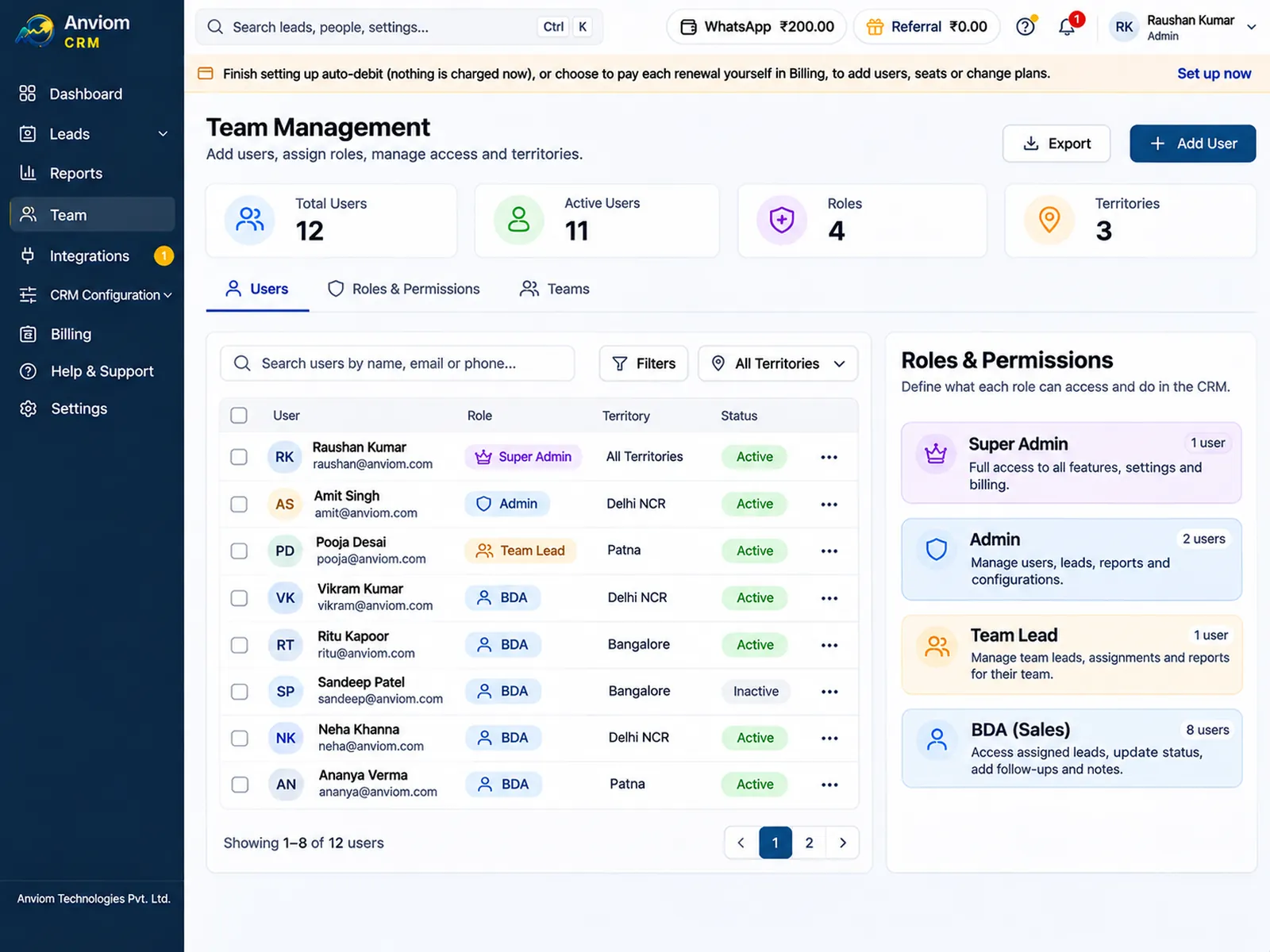
- Roles decide who sees which enquiries: own, team, department, reporting line or the whole organisation.
- Notes can be kept private instead of shared, when context should not be seen by everyone.
- Field locks let only some roles change chosen fields.
- The audit log (Admin only) lists significant actions such as users added, rules changed, and leads exported or transferred.
- Two-step sign-in with an authenticator app can be turned on in Settings > Security.
- Do not record diagnoses, prescriptions or test results in Anviom CRM; keep them in your clinical systems.
See it in the product
Questions
Anviom CRM for healthcare: questions
Does Anviom CRM store medical records?
Can enquiries go to the right department or branch?
Who can see an enquiry?
Does Anviom CRM book appointments?
Can we track which doctor or partner referred a patient enquiry?
Where is the data stored?


See Anviom CRM for healthcare
We'll walk you through capture, assignment and follow-ups — set up around how your team works.