

Comparing LeadSquared
A LeadSquared alternative for small and mid-size sales teams
An honest side-by-side of Anviom CRM and LeadSquared - prices, billing, lead routing, WhatsApp alerts and where each one fits better - so you can pick the right size of tool for your team.
Who looks for a LeadSquared alternative
LeadSquared is a large sales platform used by big teams. Smaller teams often start comparing when they realise they use a fraction of it: their real work is getting Facebook and Instagram lead-ad enquiries to the right salesperson fast and making sure every follow-up happens. Others want to pay month by month, or want to see the full price before talking to sales.
Anviom CRM is a lead management CRM built for that core job, for Indian businesses that run lead ads - coaching institutes, real estate teams, clinics and B2B sellers. Leads from your Meta lead forms arrive within seconds, each one gets an owner straight away by your rules, every call ends with a next follow-up date, and on Professional your salespeople get a WhatsApp alert when a lead is assigned to them or a follow-up is due.
If you run a large, multi-branch operation, LeadSquared may well be the better fit, and we say where below. LeadSquared facts here come only from its own published pages; where something is not published, we say so.
Anviom CRM vs LeadSquared at a glance
| Anviom CRM | LeadSquared | |
|---|---|---|
| Price per user | Rs 399 (Starter) or Rs 699 (Professional) per user per month | Sales Pro Rs 2,500 or Sales Super Rs 5,000 per user per month |
| Users included / minimum | Starter includes 5 users, Professional 10. The Admin does not use a seat | Not published |
| Billing options | Monthly, or yearly at about 20% less | Annual |
| GST | Included in the price, with online payment charges | Not published |
| Free trial | Yes - no payment needed to start | Not published |
| Meta (Facebook/Instagram) lead ads | Yes, on every plan, with form answers mapped to CRM fields | Not published on the pricing page |
| Assignment rules / round robin | Automatic assignment on every plan; rules by team and round robin on Professional | Lead distribution on both plans |
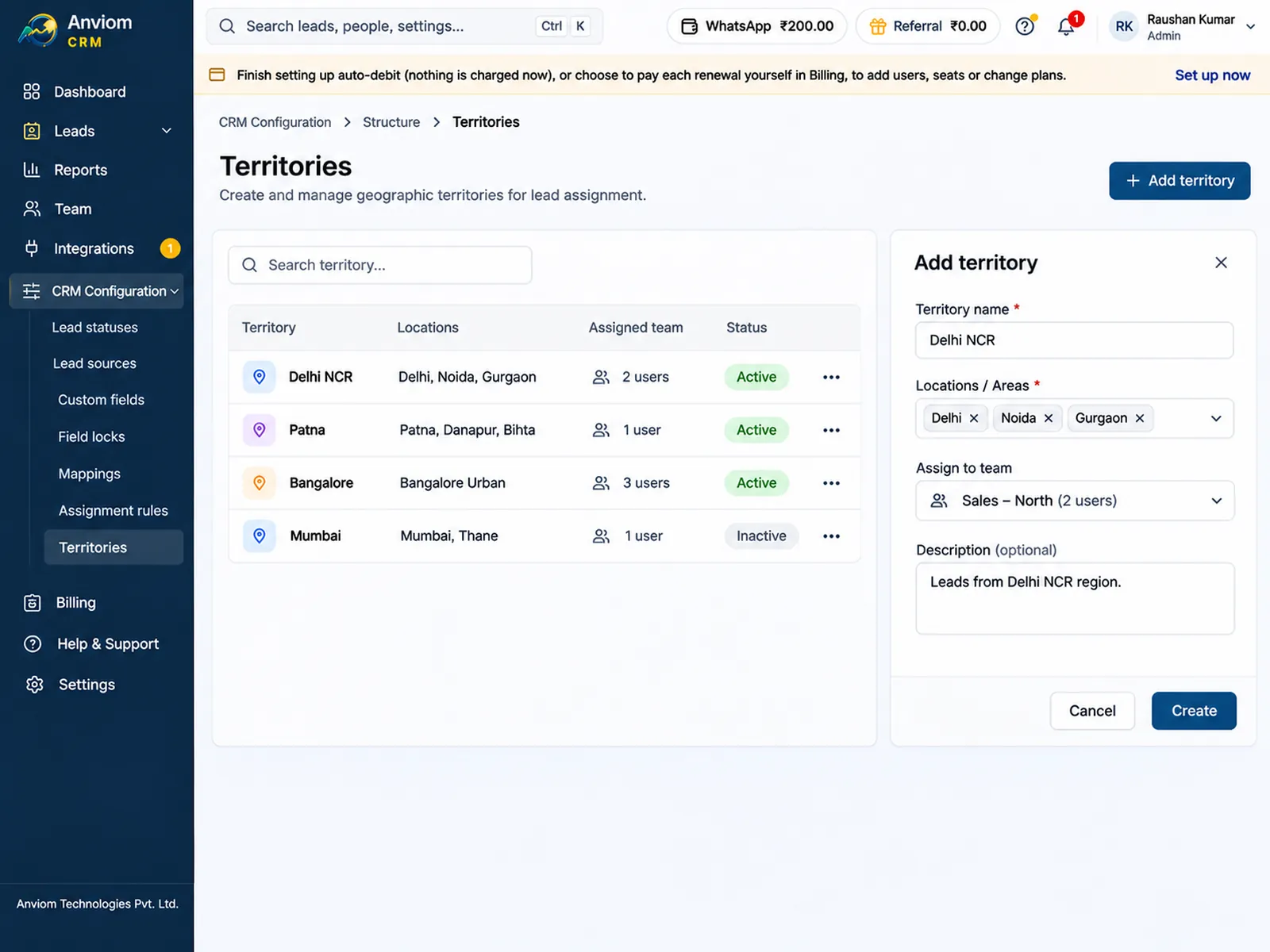
| Territory or PIN-code routing | Territories on Professional; rules on city, project or any field. A PIN code typed as the city is turned into the city name | Territory Management is an add-on, on Sales Super only |
| WhatsApp alerts to reps | Professional: alert on each new lead and due follow-up, paid per message from a WhatsApp wallet | WhatsApp through partners; contact sales |
| Data location | India (AWS Mumbai region) | Data centres in India, the US and Singapore |
| Field sales | No field-sales tools | Yes - a strength of the product |
Where LeadSquared is the better choice
LeadSquared is built for scale, and for some businesses that matters more than price or simplicity. It is fair to say plainly where it is ahead.
- Large organisations. If you have many branches, hundreds of users and complex sales processes that need deep configuration, an enterprise platform is designed for that.
- Field sales. If your salespeople spend the day visiting customers rather than calling enquiries, LeadSquared has field sales as a strength. Anviom CRM has no field-sales tools.
- Data centre choice. LeadSquared lists data centres in India, the US and Singapore, which can help a business that sells in several countries. Anviom CRM stores data in India only.
- A partner ecosystem. LeadSquared offers WhatsApp through partners, arranged with its sales team. Anviom CRM's WhatsApp messages today go to your own team, not to leads.
Where Anviom CRM fits better
If your leads come from ads and the job is to reach each one fast, these are the differences you will notice.
- A published price you can pay monthly. Rs 399 or Rs 699 per user per month with GST and online payment charges already in the price, or about 20% less on yearly billing. The Admin never uses a seat.
- Territories without an add-on. On Professional, territories, rules by team and round robin are part of the plan. A rule such as 'When City is Pune, give the lead to the Pune team' sends the lead to a team, then shares it in turn or to whoever has the fewest.
- Lead ads first. Connect from Integrations > Meta / Facebook and each new lead arrives within seconds with its answers in the right fields. When a form has new questions, AI suggests the matching field and nothing changes until an Admin confirms.
- WhatsApp alerts built in. On Professional, the rep gets a short WhatsApp message for each new lead and due follow-up, paid per message from a WhatsApp wallet you top up in Anviom CRM. No partner contract needed.
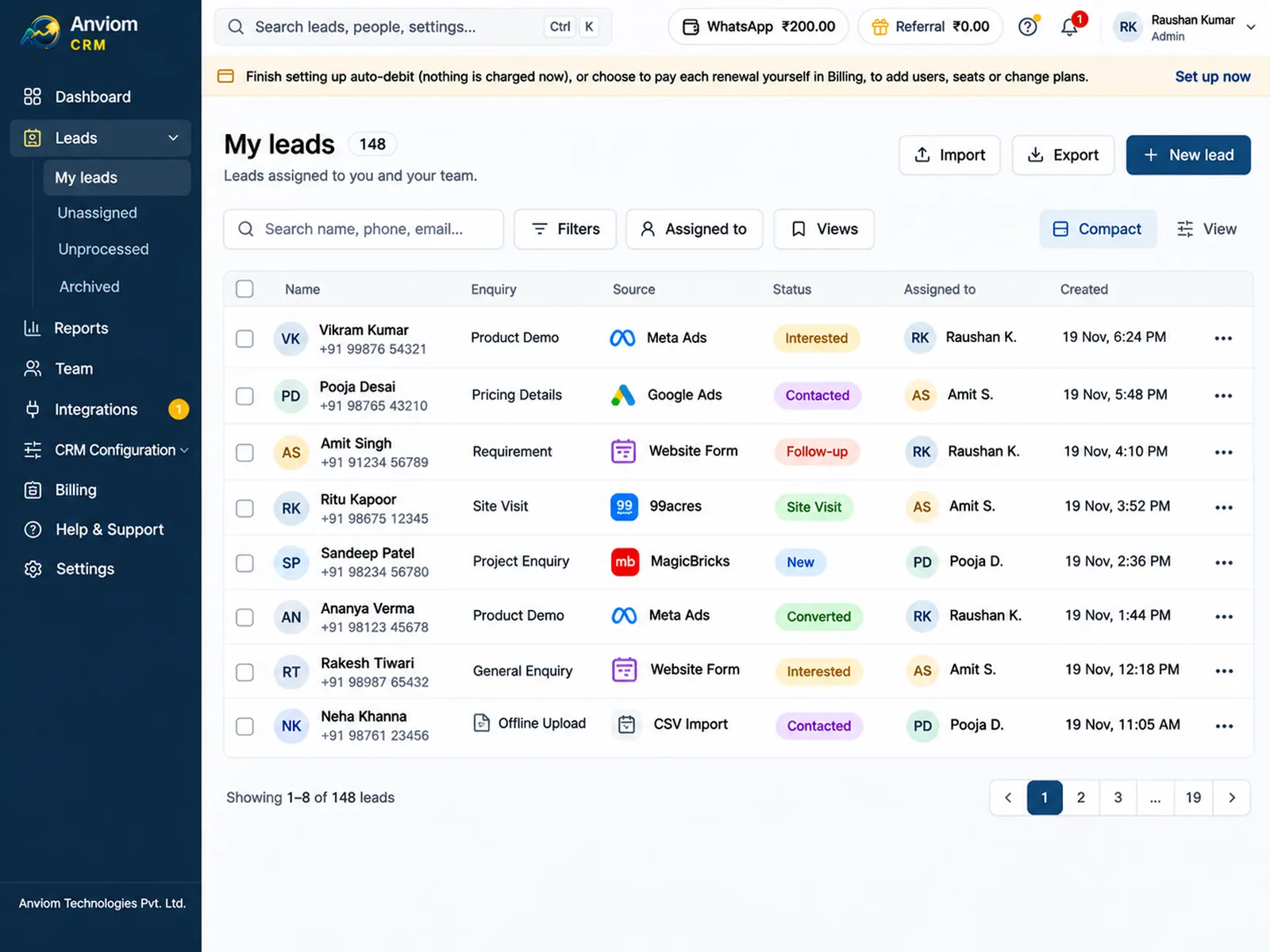
- Follow-ups that happen. Every call ends with a next follow-up date and a reminder, and today's and overdue follow-ups sit on the dashboard. People on approved leave get no new leads, and their follow-up reminders go to their nearest available manager.
- Set up by your own Admin. Statuses, custom fields, roles and rules are changed from CRM Configuration and Team, with a trainer guiding you for the first 7 days if you want one.
- Data in India. Lead data is stored in the AWS Mumbai region. Anviom CRM is made by Anviom Technologies Private Limited, Bengaluru.
How switching works
Moving from LeadSquared is mostly a spreadsheet and a few settings.
- Export your leads from LeadSquared to a spreadsheet and save it as CSV (in Excel: File > Save as > CSV).
- Import the file in Leads > Import, matching each column to a CRM field; duplicates are flagged by phone and email. Step by step: Import leads from a spreadsheet
- Recreate your stages in CRM Configuration > Lead statuses and the extra details you track in CRM Configuration > Custom fields.
- Connect your lead forms in Integrations > Meta / Facebook. Only new leads arrive automatically; older Facebook leads come in through the same CSV import. Use Send test lead to watch one arrive and get an owner.
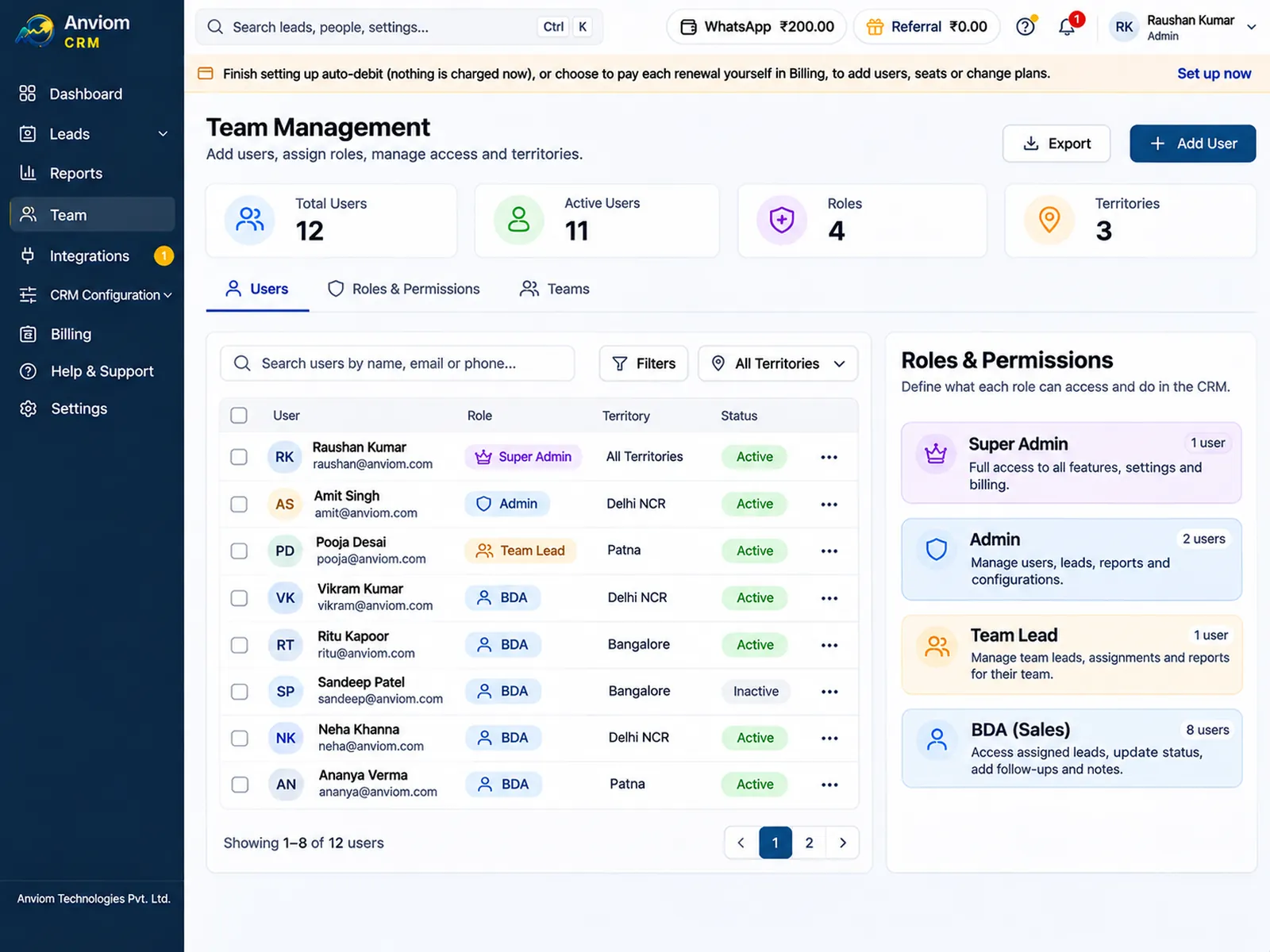
- Set who gets each lead in CRM Configuration > Assignment rules, then invite your team from Team > Users > Add user with each person's role, team and reporting manager.
- Guided or on your own. Every new account can have a trainer for its first 7 days at no extra cost. Over screen share, the trainer guides your Admin through setup, Meta lead ads, WhatsApp alerts, team training and manager reports, while your Admin makes the changes. Or choose 'I'll set it up myself' and follow the setup checklist on your dashboard, with a Help article for each step.
See it in Anviom CRM
Questions
Can we move our leads from LeadSquared?
Is Anviom CRM suitable for large teams?
Which plan do we need for territories and round robin?
Is there a free trial?
Where is our data stored?

Read more
- Affordable CRM for small businesses in India
- CRM for Facebook & Instagram lead ads
- Privyr alternative: Anviom CRM compared
- CRM vs spreadsheets and WhatsApp groups
- TeleCRM alternative: Anviom CRM compared
- Lead management software for Indian sales teams
- Zoho CRM alternative: Anviom CRM compared
- Lead distribution software: automatic lead assignment
- CRM for Instagram lead ads
- Sales CRM for small teams in India
- Lead routing by territory, city and project
- Sell.do alternative: Anviom CRM compared
- Meritto alternative: Anviom CRM compared
- WhatsApp alerts for new leads and follow-ups
- All features
- Frequently asked questions

See Anviom CRM with your own lead flow
We'll walk you through capture, assignment and follow-ups — set up around how your team works.