

Sales CRM
A simple sales CRM for small sales teams in India
For a team of 5 to 50 salespeople, the CRM should make three things easy: knowing which leads are yours, calling them on time, and seeing what's working. Anviom CRM keeps to that, priced per user in rupees.
What a sales CRM should do for a small team
A sales CRM is the shared record of every enquiry your business is working on: who asked, what they want, who is handling them, what was said and what happens next. For a small team, the test is simple. Does every salesperson open it in the morning, and can the owner trust what it shows?
That only happens when the CRM saves effort instead of adding it. Leads should arrive by themselves, reach the right person at once, and ask for the next follow-up date every time someone updates them. Anviom CRM is built around that loop rather than around long forms.
A salesperson's day, step by step
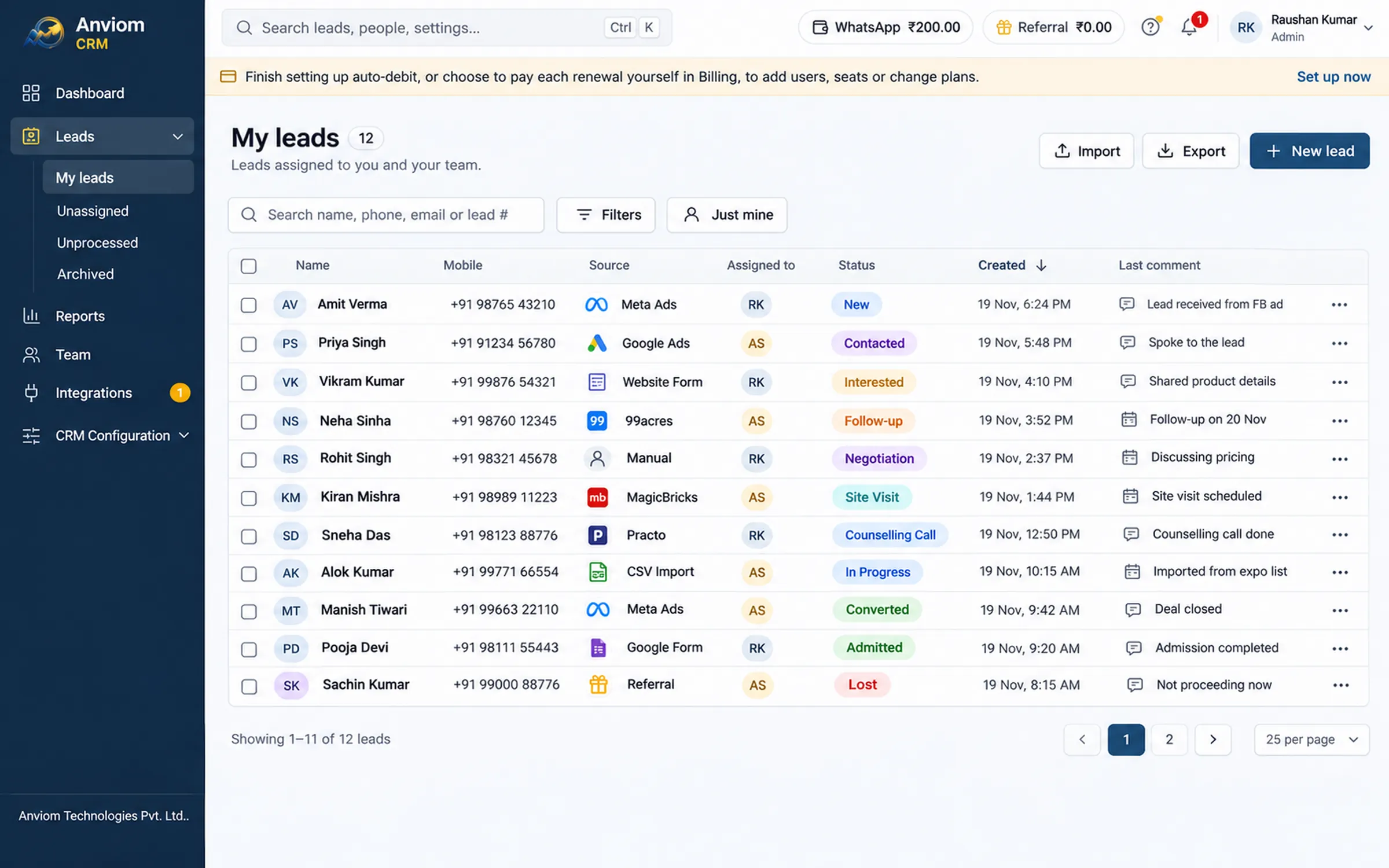
1. A buyer fills your Facebook lead form at 9:40. The lead arrives in Anviom CRM and is assigned to Priya by your rules. On Professional she gets a WhatsApp alert at once, and a notification on the Anviom CRM app.
2. Priya opens the lead on her phone, calls or WhatsApps the buyer in one tap, and adds a note: wants a 2 BHK, budget Rs 60 lakh, call back Saturday.
3. She changes the status to Call back. That status asks for a follow-up date, so she picks Saturday 11:00. She is reminded before it is due.
4. On Saturday the follow-up is on her dashboard. If she had been on leave, the reminder would have gone to her manager instead.
5. Every step - assignment, call, note, status change - sits on the lead's timeline, so if the lead is transferred, the next person knows the whole story.
For sales managers
- Leads assigned automatically, so nobody waits for you to share them out. On Professional, rules by city, project or course send each lead to the right territory.
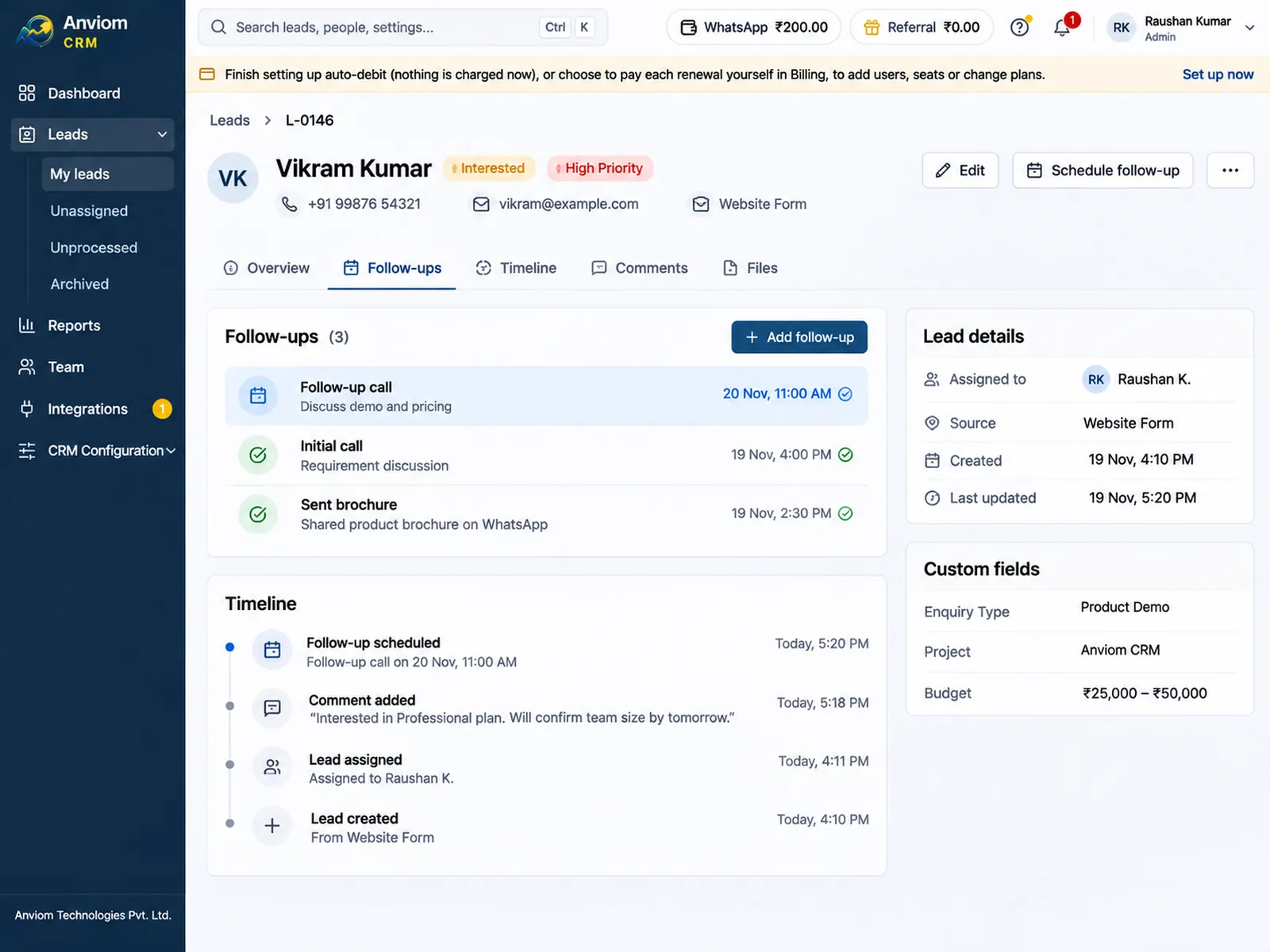
- The Reports page shows leads created, converted, conversion rate, open pipeline and leads idle for 7 days or more, with Pipeline, Team, Sources, Transfers and Referrals tabs.
- Team and campaign performance reports, including each person's win rate (Professional).
- Approvals for sensitive status changes: the lead shows Waiting for approval until a manager approves it in Team > Approvals.
- Bulk transfer when someone is away or leaves, recorded on each lead's timeline.
- Leave applied in Team > Leave and approved by the reporting manager. People on leave get no new leads.
For the owner
- Leads from Facebook and Instagram ads arrive automatically, with form questions mapped to your fields; nothing sits in a download folder.
- Roles decide who sees which leads: their own, their team's, their department's, their reporting line's or everyone's.
- Exports include only leads the person may see, and each export is recorded in the audit log.
- Customer data stored in India, in the AWS Mumbai region.
- Starter Rs 399 and Professional Rs 699 per user per month, GST and online payment charges included. Annual billing saves about 20%.
Make the pipeline match how you sell
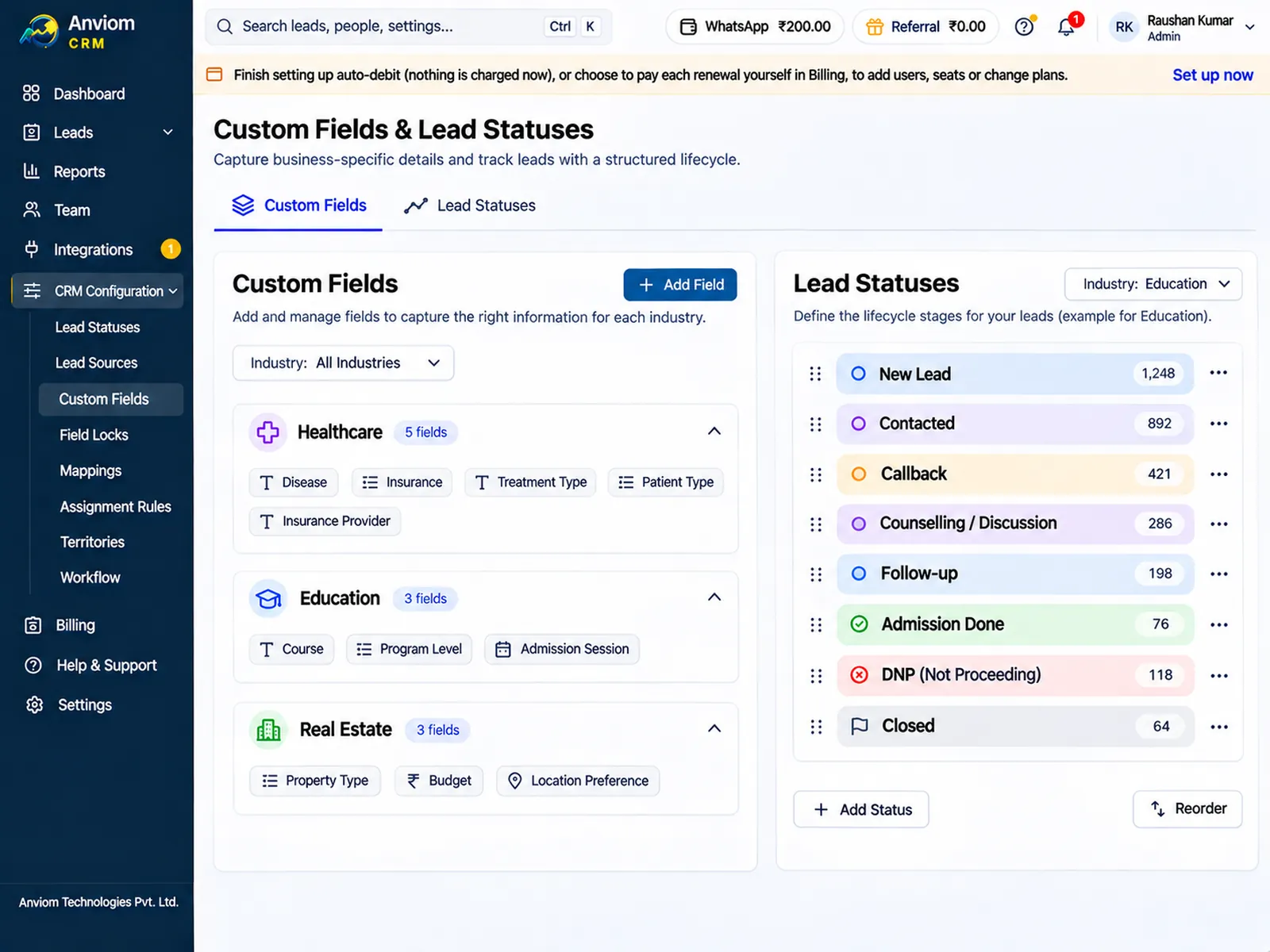
Anviom CRM starts with a sensible set of statuses, and you can change them in CRM Configuration > Lead statuses. Each status has a kind - open, follow-up, converted or lost - which is what makes reminders and reports work.
A property broker might use New, Contacted, Site visit booked, Negotiation, Booked and Lost. A coaching institute might use New, Counselling call, Demo class, Fee discussion, Admitted and Not interested. Custom fields in CRM Configuration > Custom fields hold what your business needs - budget, project, course or preferred branch - and can be used in filters, reports and assignment rules. Starter has a limited number of custom statuses and fields; Professional has no limit.
Starter or Professional?
Starter (Rs 399 per user per month, 5 users included) suits one team that sells one thing in one place. Every new lead is shared in turn across everyone who can take leads, and you get follow-ups, the timeline, the dashboard and basic reports.
Professional (Rs 699 per user per month, 10 users included) suits teams split by city, project, course or branch. It adds assignment rules and territories, unlimited custom statuses and fields, team and campaign reports, and WhatsApp alerts to your team, paid from a separate WhatsApp wallet at a low per-message price. You can change plan later from Billing.
Getting your team started
When you first sign in, you choose guided setup or setting up yourself. With guided onboarding, a trainer runs screen-share sessions over your first 7 days: setup, Meta lead ads, WhatsApp alerts, team training, management reporting, feedback and choosing your plan. Your Admin makes the changes while the trainer guides. If you set up yourself, the setup checklist ticks off each step as you finish it, and every step links to a Help Center article.
Questions
How small a team is Anviom CRM for?
Does the Admin count as a user?
Can salespeople use it on their phones?
Do we need training to start?
Can we try it first?

Read more
- Affordable CRM for small businesses in India
- CRM for Facebook & Instagram lead ads
- Privyr alternative: Anviom CRM compared
- CRM vs spreadsheets and WhatsApp groups
- TeleCRM alternative: Anviom CRM compared
- Lead management software for Indian sales teams
- LeadSquared alternative: Anviom CRM compared
- Zoho CRM alternative: Anviom CRM compared
- Lead distribution software: automatic lead assignment
- CRM for Instagram lead ads
- Lead routing by territory, city and project
- Sell.do alternative: Anviom CRM compared
- Meritto alternative: Anviom CRM compared
- WhatsApp alerts for new leads and follow-ups
- All features
- Frequently asked questions

See Anviom CRM with your own lead flow
We'll walk you through capture, assignment and follow-ups — set up around how your team works.